
Wishlist import formats
The columns a wishlist import file can carry, in Cascade's own format and in the four competitor formats the Format picker reads unchanged. For how to run an import, see Importing wishlists.
The Cascade format
One row per saved item. Repeat the wishlist's own columns on each of its rows: rows that
share a customer and a name are one wishlist, wherever they sit in the file. Column
order doesn't matter, and columns you have nothing to say about can be left out.
A two-item list looks like this:
Rules the import follows
- Where two rows of one wishlist disagree on a list-level value, the first non-empty value in the file wins and the ignored row is reported. A blank cell means "not specified", so it never overwrites what another row said.
- The older format, where a full row starts a wishlist and the rows below carry only their
item (blank
customerandname), still imports unchanged. - The default list. A customer has at most one. With
isDefaultset totruethe row goes into it whatever it is called;nameis only used to create the list when there isn't one yet. New default lists are named after Name for a customer's first list under Settings, Wishlists, so leave that setting alone between runs of the same file. - An empty list is a row with
customerandnamefilled in andproductblank. That is how exports represent one, so it survives a round trip. - Running it twice. A list is identified by customer and name, so a second run updates
in place. Items keep the date they were first imported with. The items in the file replace
the list's items. A blank
metadatacell clears stored metadata, and your internal notes on the wishlist are cleared, so copy anything you need out first. - Left out of the format. Share links: an export never carries a token and an import never sets one (a list keeps its link, a new list gets a fresh one). Purchased state: read it from the API or the detail pane in the dashboard.
- A row that can't be placed is listed with its row number on the import job, for example
Row 3: No product with the slug "discontinued-widget". The wishlist "Birthday list" was skipped.One unusable item skips its whole wishlist.
Competitor formats
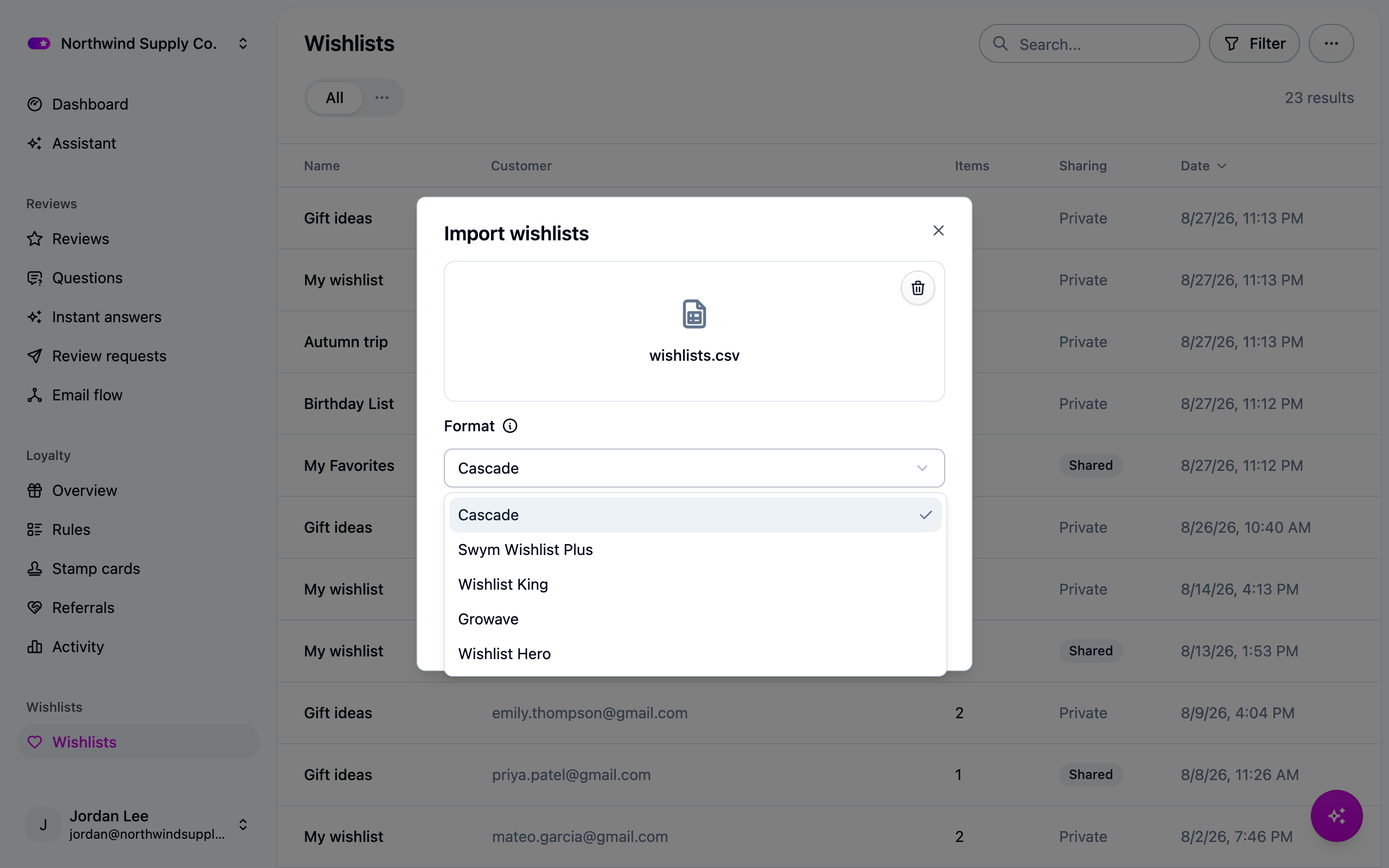
These mappings were written from each platform's published documentation, not from a real
export file, and confidence is not even across the four. Swym's short keys (empi, epi,
du, qty, lname) are its documented API vocabulary and are the surest of them; every
human-readable header, and everything for Growave and Wishlist Hero, is our best reading of
their help pages. Compare the table for your platform against your own export before you
upload. If a column name differs, tell us and we will fix the mapping; in the meantime,
rename the column in a spreadsheet, or reshape the file and use the Cascade format.
True of every named format:
- Cascade uses the format you picked and refuses the file if its columns are not that format's. Nothing is imported when it does.
- Columns are matched loosely on case and punctuation:
Product Handle,product_handleandproductHandleare the same column. - Every column the mapping does not carry into Cascade is listed on the import job with the reason.
- All four keep one list per customer, so a row without a list name goes into the customer's default list.
- All four name products by Shopify ID, so connect your store first. Cascade warns and still lets you upload, in case your slugs happen to line up.
- Share links change (Cascade mints its own; the
sharedflag comes across), purchased state resets, and guest rows (kept against a browser, no email) are reported and skipped:Row 41: This row is a guest wishlist, kept against a browser rather than a customer, so there is no email address to attach it to. It was skipped.
Swym Wishlist Plus
Swym supports several lists per customer, so check for an lname column before you upload.
Without it every row for a customer lands in one list.
Wishlist King
Growave
Growave bundles wishlists with reviews and loyalty, so export the wishlist report rather than a combined one: columns from the others are reported as unrecognized.
Wishlist Hero
When Cascade refuses the file
If the columns are not the format's, the import fails before it writes anything and the job says what it looked for and what it found: