
Reviews
Reviews help shoppers trust your products. This page shows how reviews reach your store, what happens to each one, and the settings that decide it.
Get reviews running in a minute
- Open Set up reviews and answer its four questions. Cascade writes a review request email that goes out after each order.
- Add the star rating and reviews widgets to your storefront. See Storefront widgets, or Widgets in your theme on Shopify.
- Bring your existing reviews across so products don't start at zero stars. See Importing reviews.
Where reviews come from
- Review requests. Cascade emails the customer after their order. Most of your reviews will come from these, and each is marked as a verified buyer because Cascade knows which order it sent the request for. See Collecting reviews.
- Your storefront. The "Write a review" form in the reviews widget.
- An import. A spreadsheet from your old reviews app. See Importing reviews.
What happens to a review
- It arrives unpublished and waits in Reviews.
- Content screening runs, if you've turned it on. Anything flagged is held for you and is never published automatically.
- You publish or reject it, or Cascade publishes it for you if you've allowed that.
- Once published, it shows on your storefront, counts toward the product's rating, and can give you star snippets in search results.
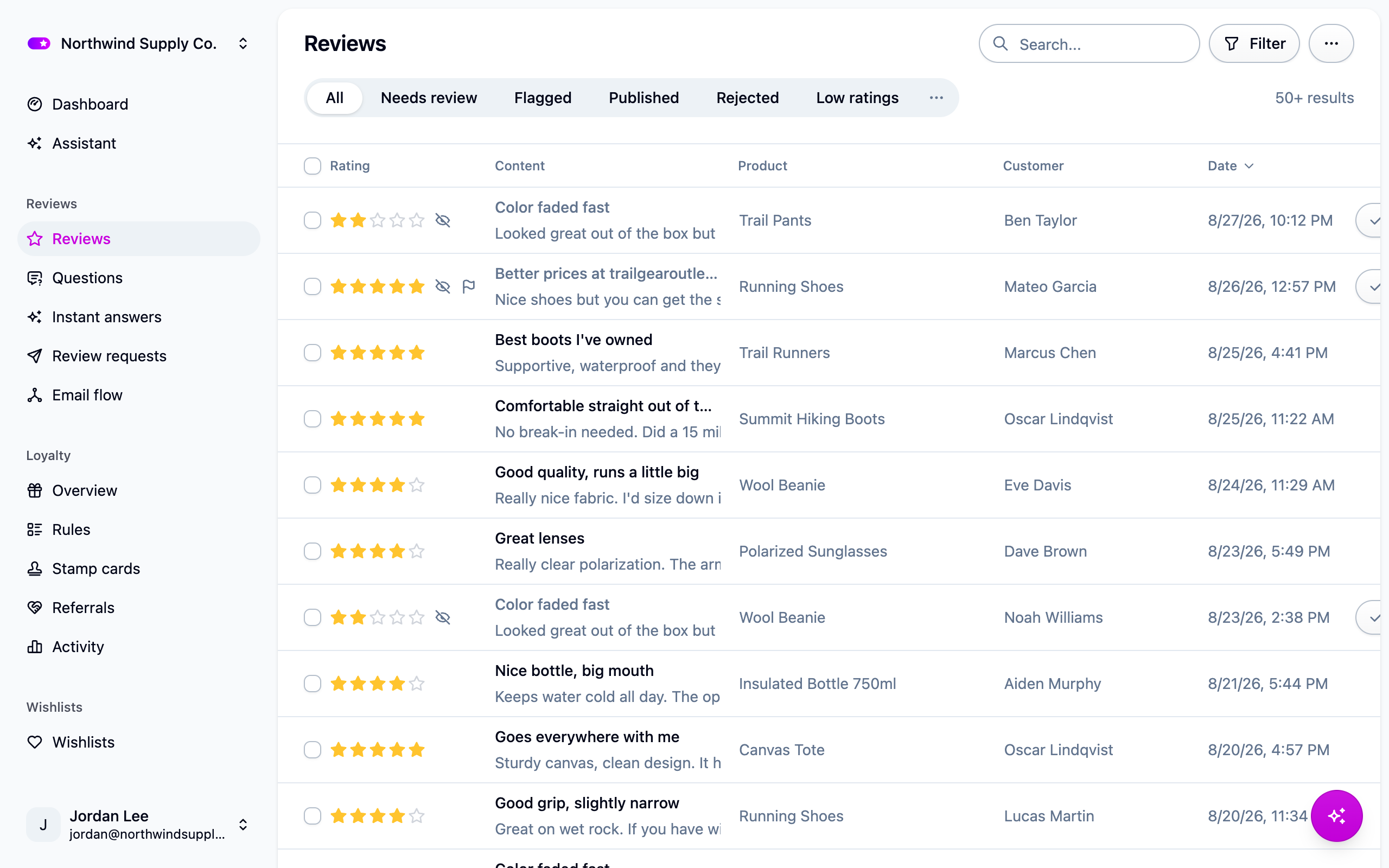
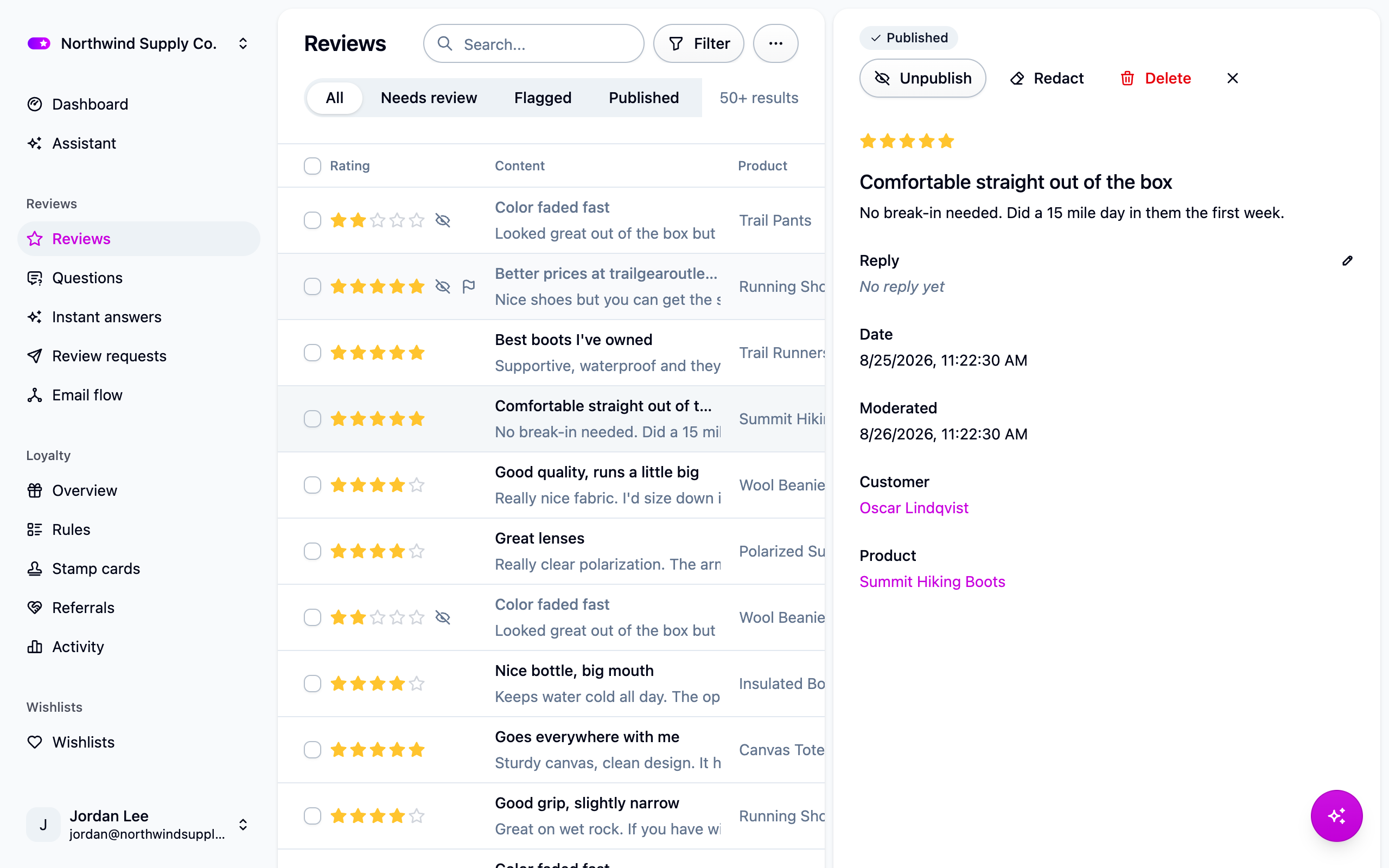
You can reply to, edit, redact or delete a review at any time. See Moderating reviews.
Review questions
Beside the star rating you can ask reviewers a few extra questions, such as "How does it fit?" on a scale from "Runs small" to "Runs large", or a list of options to pick from. Answers are summarized on your storefront. Set them up under Settings → Reviews. See Review questions.
Settings
Everything below is under Settings → Reviews.
Automatically publish new reviews
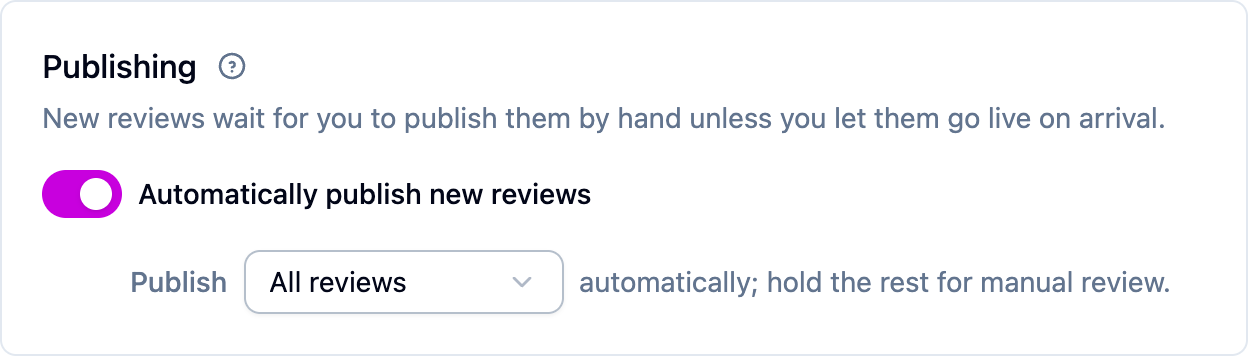
Off to start, so every review waits for you. Turn it on and pick a rating threshold: "4 stars and up" publishes the good ones the moment they arrive and holds the rest for you. Screening still holds anything it flags, whatever the rating.
Content screening
Three checks you can turn on separately:
- Blocked words: your own words or phrases, one per line.
- Flag profanity, using a built-in word list.
- Flag reviews that contain links, the strongest spam signal there is.
A flagged review waits for you and says why it was flagged. Screening never rejects anything on its own, so a false match costs you nothing.
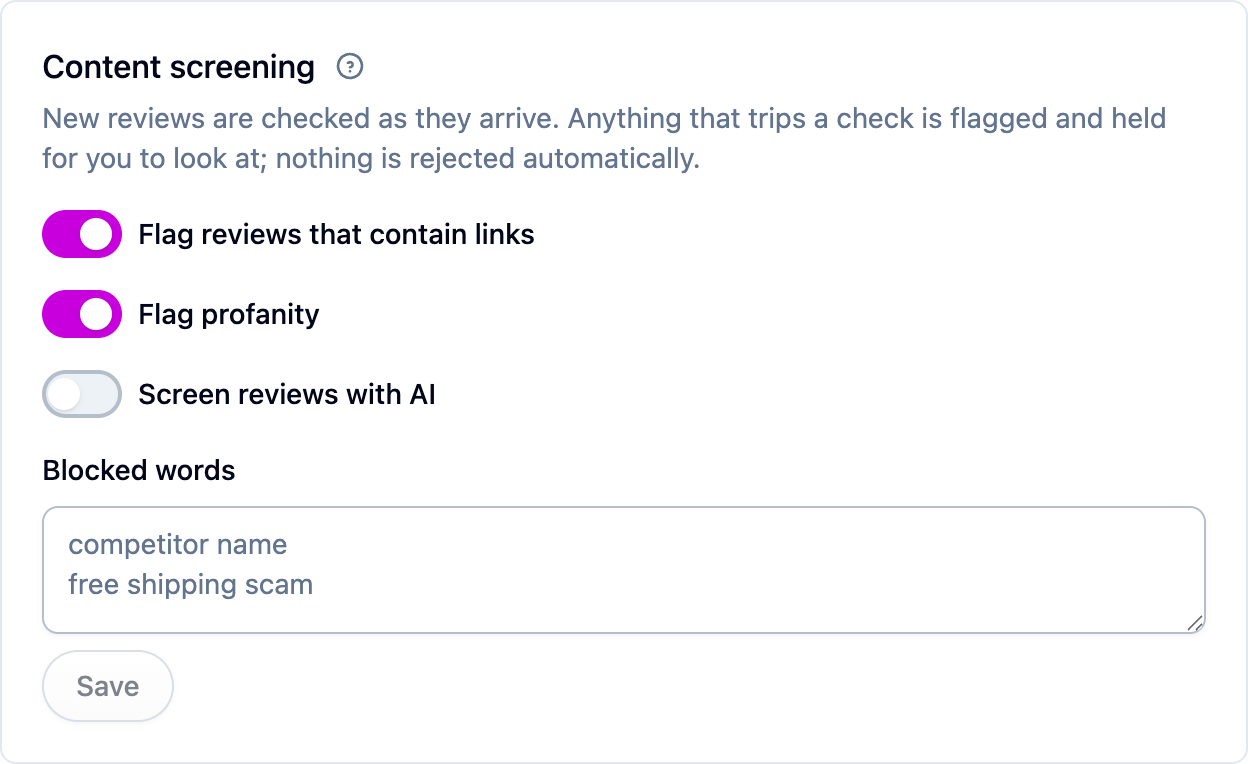
Screen reviews with AI
An optional check that reads each new review and flags spam, advertising, abuse, off-topic text, or a review of the wrong product. Longer reviews are also checked for AI-written text. Nothing is rejected automatically. Not every plan includes it. See AI features.
Questions and answers
Whether shoppers can ask questions on your product pages, answer each other, and get an email when you reply. See Questions and answers.
Instant answers and review summaries
Two AI add-ons: a short answer for a shopper who asks a question, generated from that product's reviews while your team writes the real one, and a summary of what reviewers say shown above the review list. See AI features.
Notifications
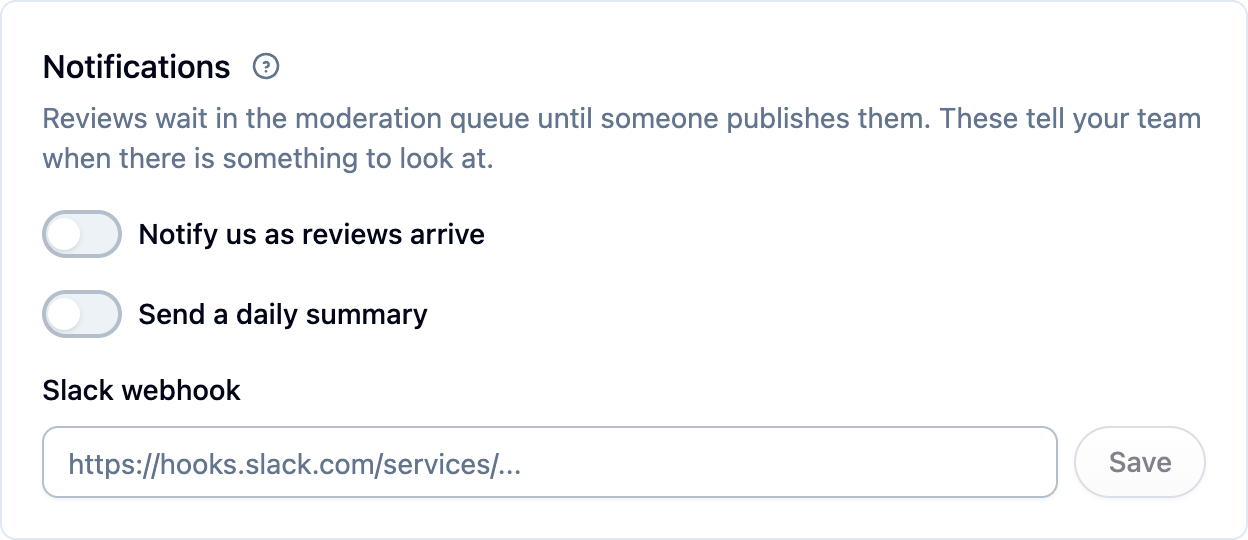
- Notify us as reviews arrive emails your team the moment a review comes in, with a link to the queue. Choose every review, or only those at or below a rating you pick. Most stores want to hear about 1 and 2 star reviews right away.
- Send a daily summary sends one email each morning covering the last 24 hours. Quiet days send nothing.
- Slack webhook posts the same alerts to a Slack channel. Paste an incoming webhook URL from your Slack workspace.
Delete reviews with their product or customer
Off to start. Normally, deleting a product or customer keeps their reviews in Cascade, unpublished, so your rating history survives a catalog change. Turn this on if you'd rather the reviews were deleted too.
Next steps
- Set up the request email: Collecting reviews.
- Work the queue: Moderating reviews.
- Bring your old reviews across: Importing reviews.
- Let shoppers ask questions: Questions and answers.