
Loyalty activity
Loyalty → Activity is your program's history: every point earned or spent, every reward issued, every stamp, join, tier change and referral.
Read the feed
Each entry says what happened and which rule caused it. A points entry shows the amount and the balance it left behind, so "+300 stars (balance after: 500 stars)" tells you where a member stood on that date. Click the rule to narrow the feed to everything it produced.
Joins and referrals are hidden when the page opens, because they crowd out everything else.
Open the Type filter to put them back.
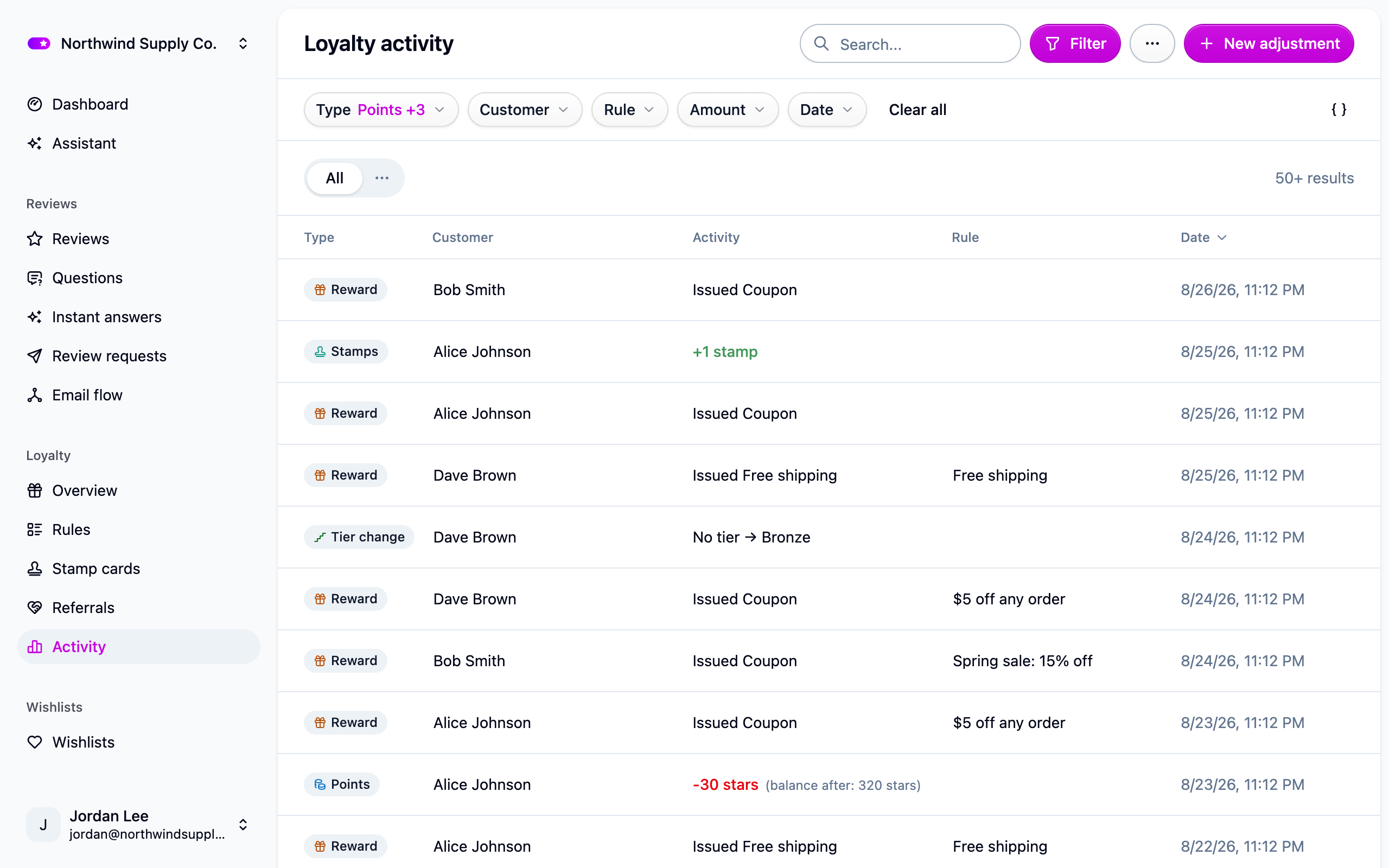
The feed starts from the day the program was built, so members who joined before then have no earlier entries.
Adjust a balance
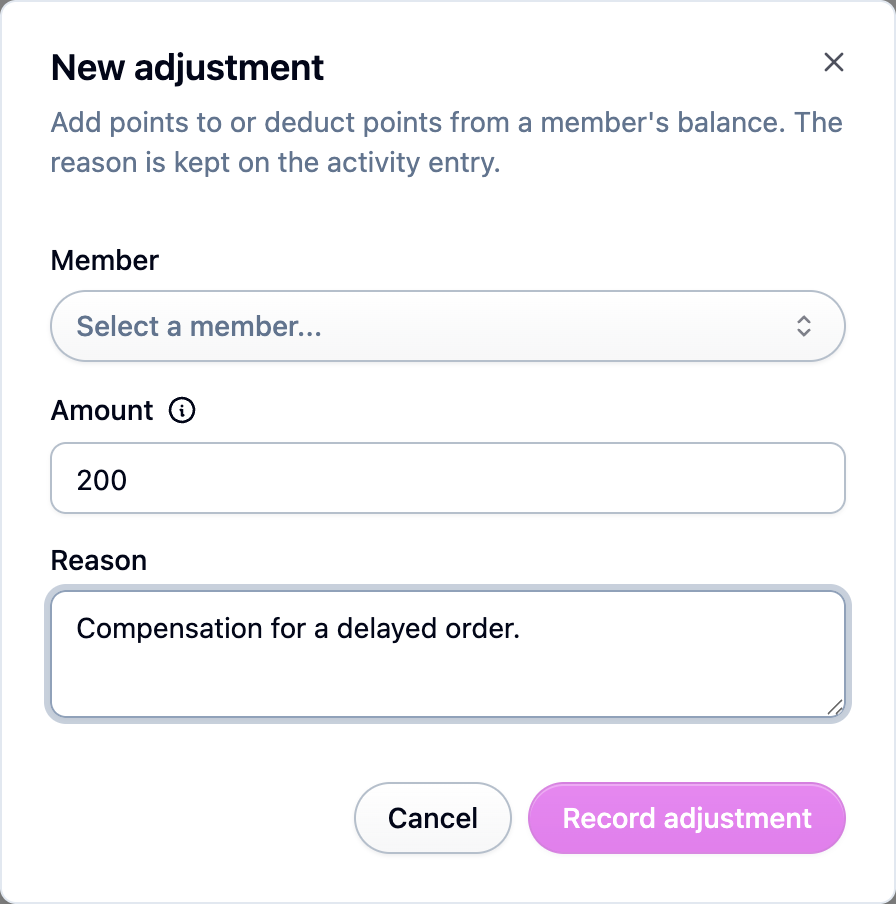
- Open Loyalty → Activity and add a manual adjustment.
- Pick the member, enter the amount (positive or negative) and a reason. The reason is
stored on the entry so you can see later why the balance moved.
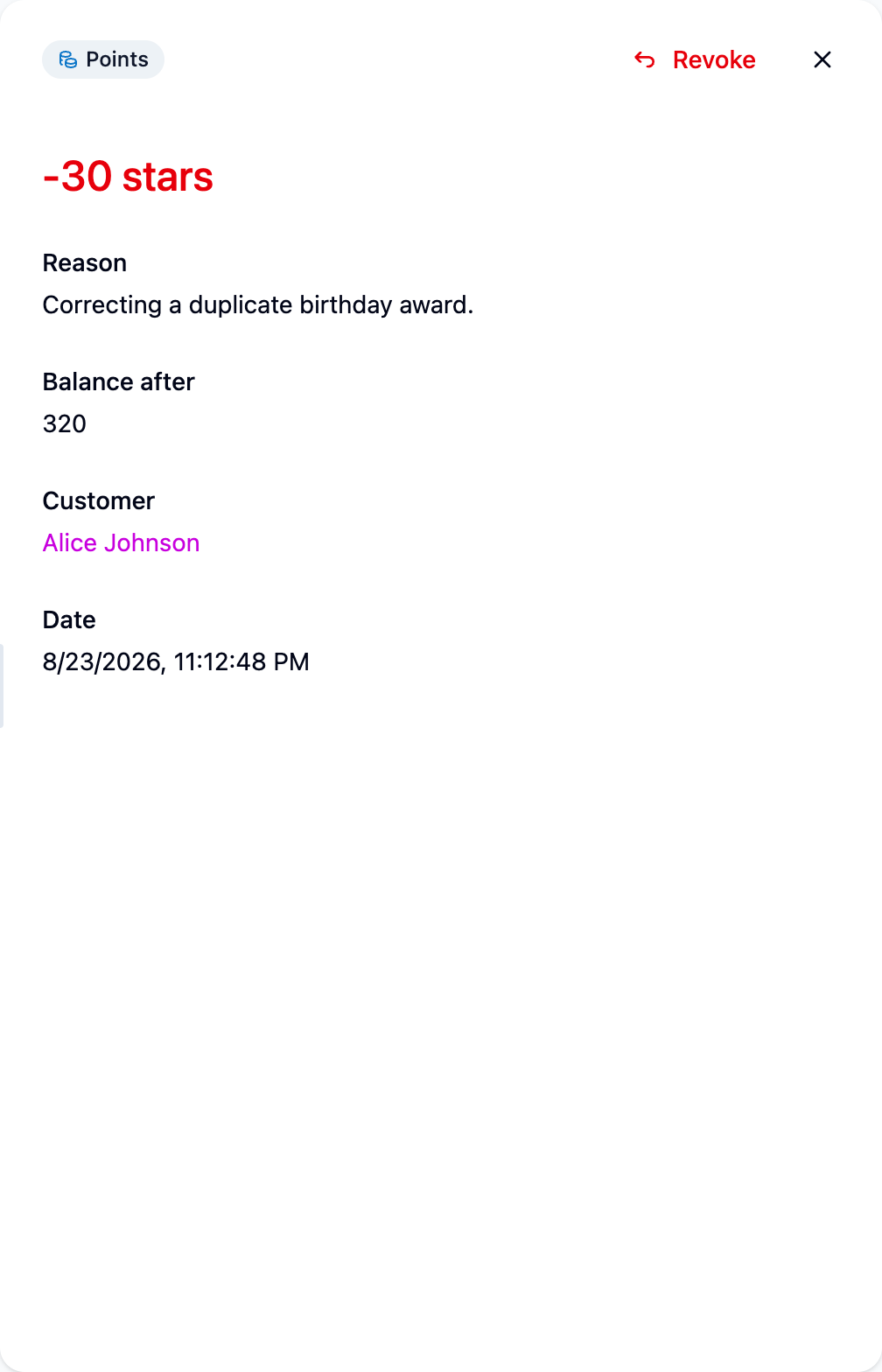
To undo a points entry instead, open it and Revoke it. Only points entries can be
revoked; the other kinds are history rather than a balance.
Expire points in bulk
Filter the feed to the entries you want to end, then expire the points that match the filter. Expiry shows on each member's feed as a debit rather than a silent rewrite.
Export
From the actions menu on the same page:
- Export members writes one row per member with their tier and points balance.
- Export activity writes the whole ledger. This is the file to hand to an accountant reconciling your points liability.
Finished files appear under Settings → Exports.
Ask the assistant
The assistant can read the feed too, so you can ask what a member's balance was on a date rather than counting back by hand.
Next steps
- Bring members in from a spreadsheet: Importing loyalty members.
- Find and withdraw a reward: Loyalty rewards.
- Watch referrals: Referrals.