
Plans and limits
This page helps you pick a plan, and tells you what happens if you reach a limit on the one you have.
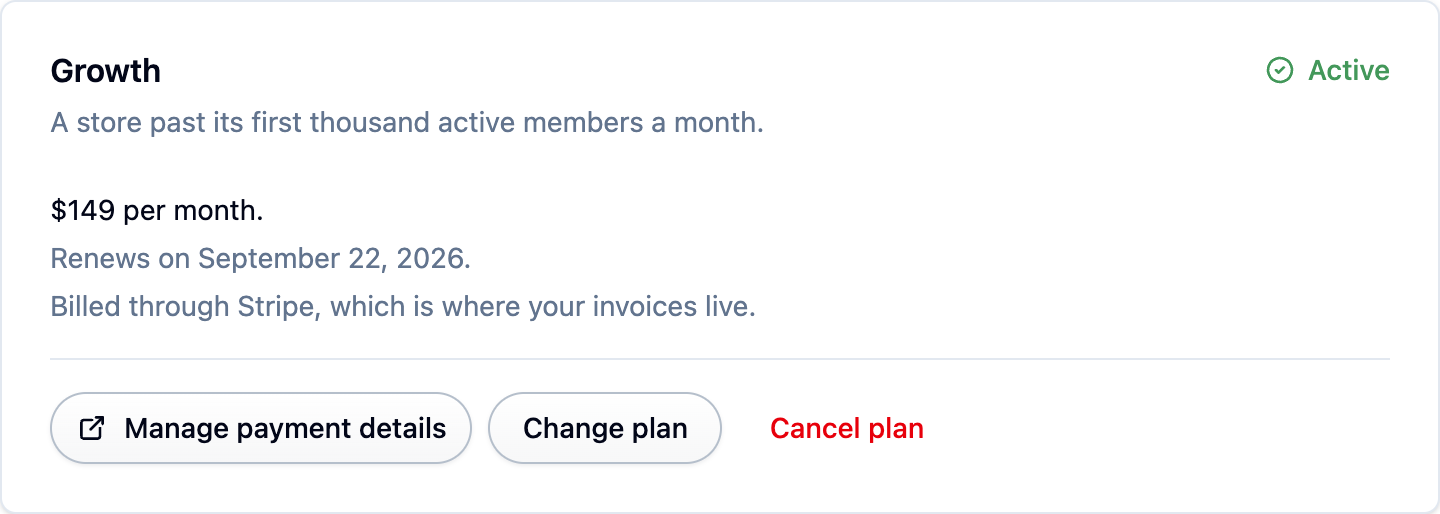
What a plan costs
Paying for a year is 17% less than paying monthly, which is two months free. Prices are in US dollars and cover your whole account: every store, every team member and all four products.
Every new account starts on a 14-day free trial with no card needed. If the trial runs out without a plan, your account goes read only rather than being charged or deleted. See Billing.
The three allowances a plan is priced on
What counts:
- Review submissions: reviews submitted in the calendar month, however they arrived.
- Loyalty MAU (monthly active users): members who earned or spent points, collected a stamp or used a reward that month. A member who did nothing is not counted.
- Wishlist MAU (monthly active users): customers who created a wishlist or added or removed an item that month. Someone who only looked at a shared wishlist is not counted.
Enterprise numbers are a starting point for a conversation, not a ceiling.
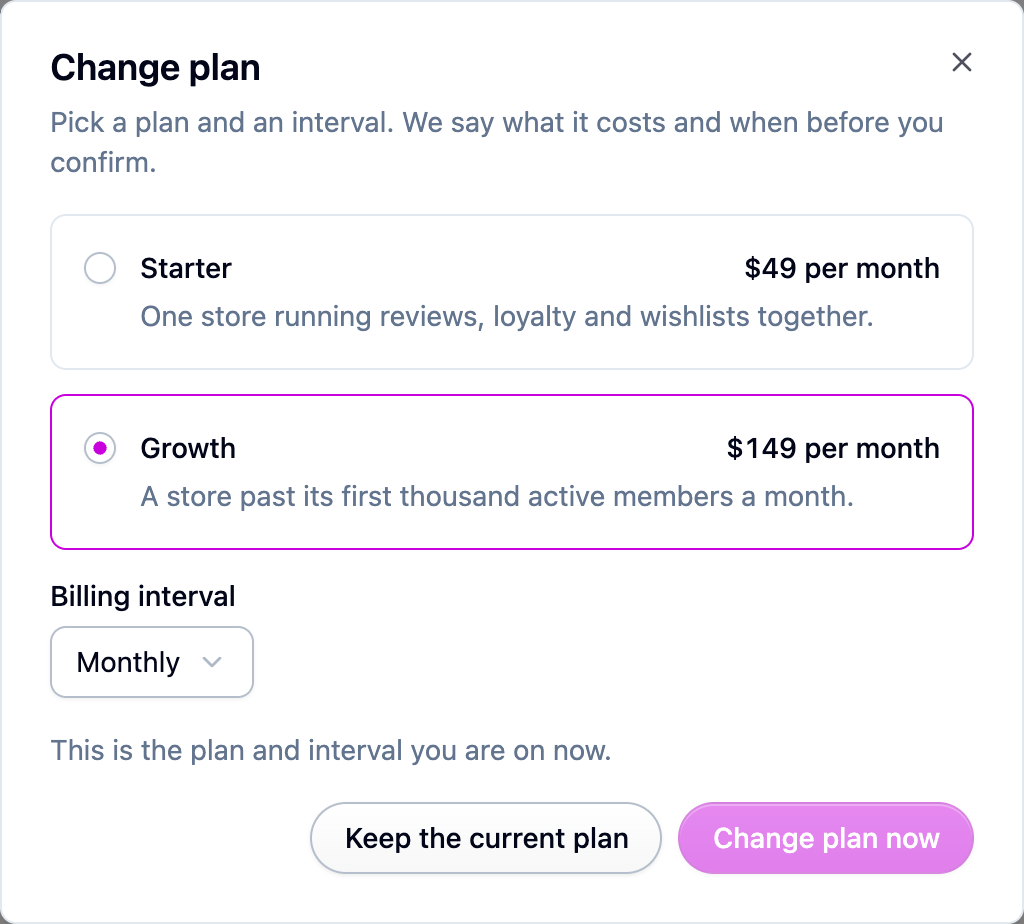
Going over one of these is billed rather than blocked, at $10 per 1,000 review submissions, $15 per 1,000 active loyalty members and $10 per 1,000 active wishlist customers. You can turn that off on Settings → Billing. See Going over an allowance.
Two features depend on the plan: AI review summaries and AI review screening start on Growth, and single sign-on is Enterprise only.
Everything else is a safety net
Every other number (products, customers, team members, connected stores, uploads and so on) is set high enough that normal use never reaches it. It exists so a runaway import or a misbehaving integration cannot quietly run up your account. The full list is on Every limit by plan.
What happens when you reach a limit
- One of the three allowances above: nothing stops the day it happens. You get a warning at 80 percent, and after that it depends on whether overage billing is on. Nothing is deleted either way, and your storefront never changes. See Going over an allowance.
- A safety-net limit: only creating something new is refused, with a message naming the limit. Reading, editing and deleting what you already have always work.
- A feature your plan does not include: its screens are hidden, and turning it on shows a message asking you to upgrade.
Watching your usage
Settings → Billing shows what you are using against what your plan allows. The three priced allowances get a bar, and the reviews, loyalty and wishlists screens each show a banner once their allowance passes 80 percent.
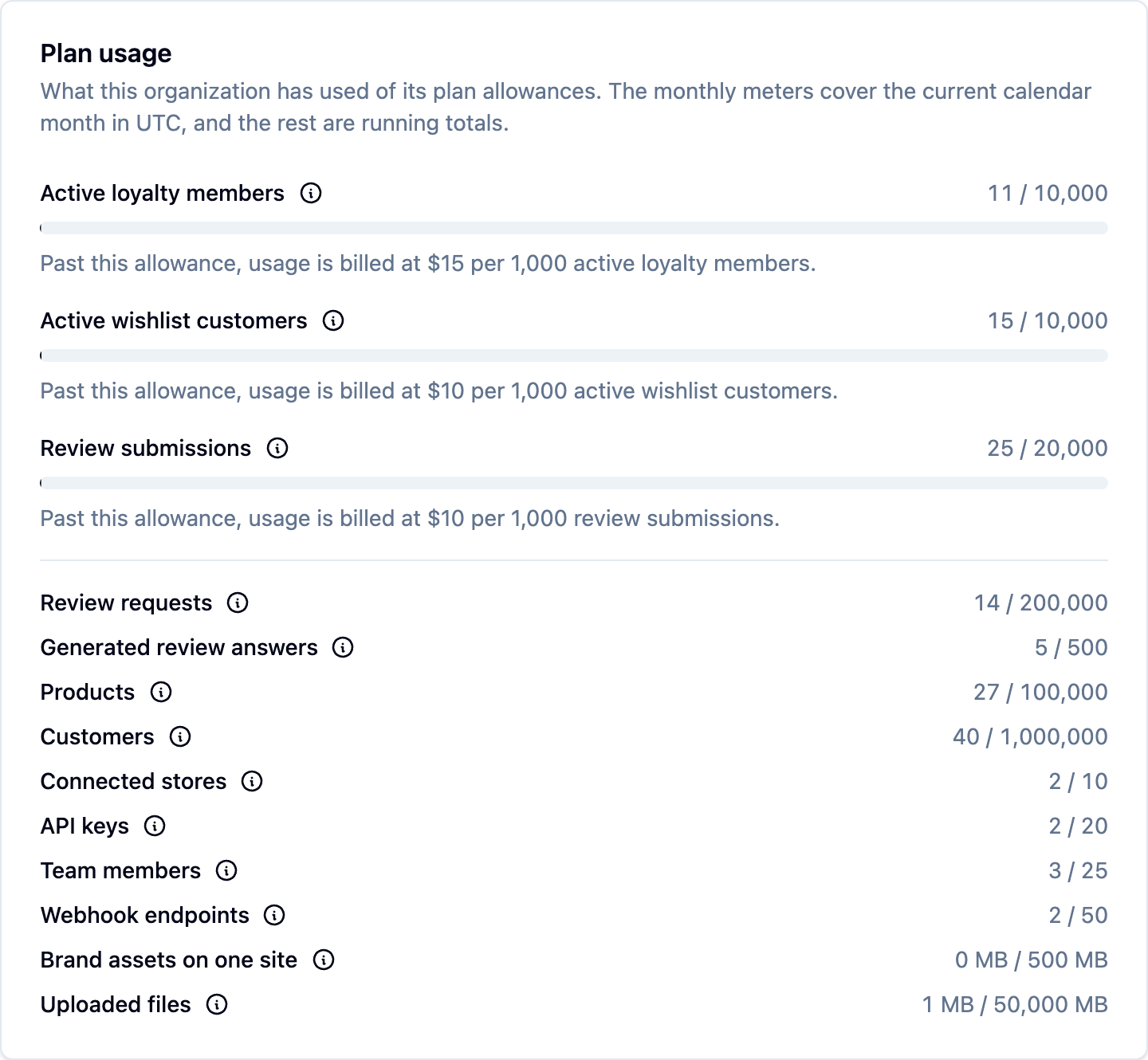
Monthly counts cover the current calendar month in UTC and reset when it rolls over. Counts can lag a few minutes behind a big import or delete.
Raising a limit
Any single limit can be raised for your account without moving you up a plan. If one number is the only thing in your way, an unusually large catalog or a one-off migration for example, ask us rather than upgrading.
Next steps
- Billing: start a plan, find your invoices, change or cancel.
- Going over an allowance: the whole sequence, with rates.
- Every limit by plan: the complete tables.