
Questions and answers
Let shoppers ask questions on your product pages, and publish your answers where the next shopper can read them.
How it works
- A shopper types a question in the reviews widget on your product page, with their name and email if they like.
- If instant answers are on, they immediately see a short answer generated from that product's published reviews, clearly labeled as generated. Either way, the question comes to you.
- The question lands under Reviews → Questions.
- You write the answer and publish it. The question and your answer appear on the product page under the reviews, and the shopper gets an email if they left an address.
Published questions and answers are marked up for search engines, so they can show up under your listing.
Answer a question
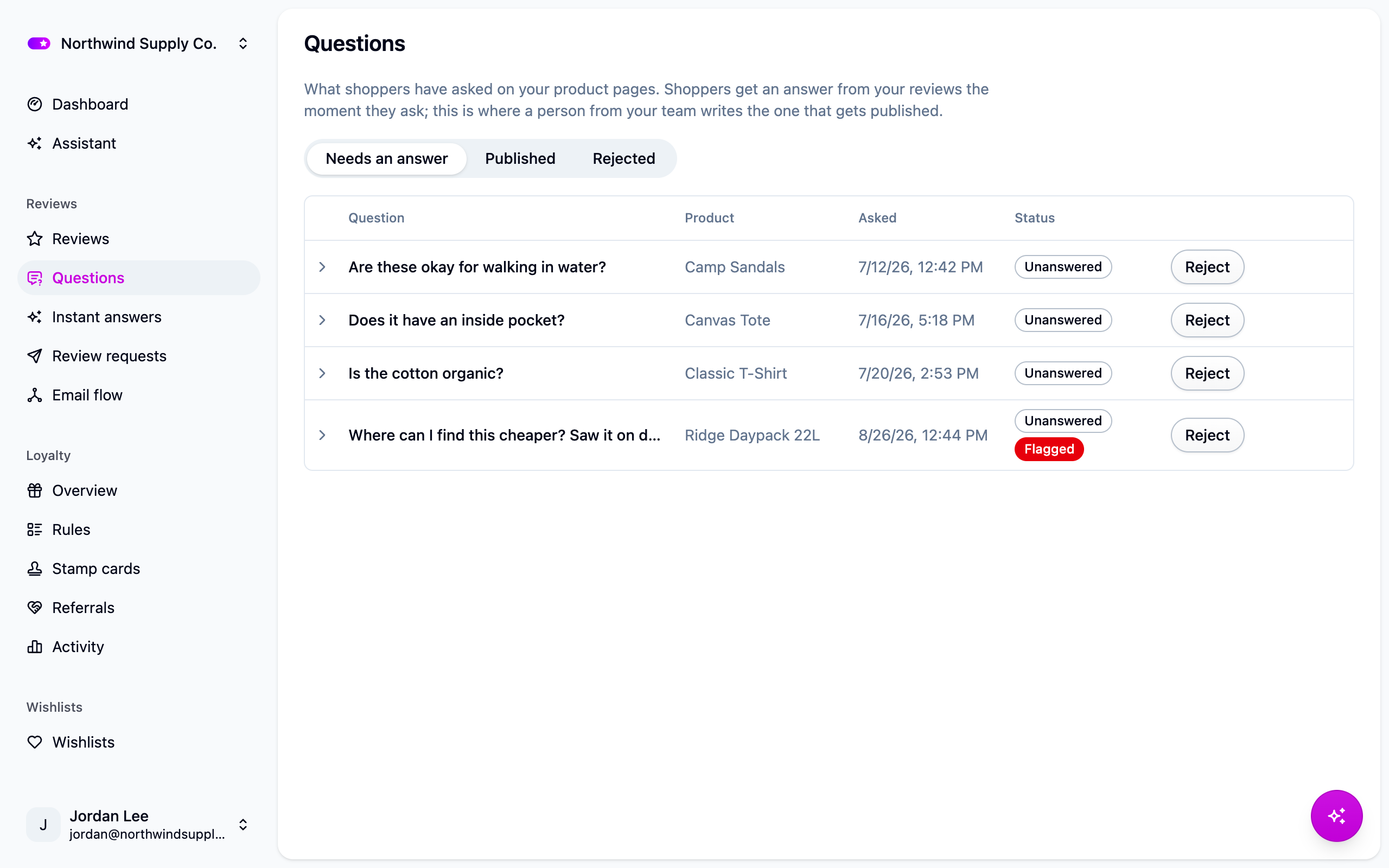
- Open Reviews → Questions. The Needs an answer tab lists everything waiting on you, oldest first.
- Open a question and write your answer.
- Choose Answer and publish. A question with no answer isn't worth putting on a product page, so this is almost always what you want.
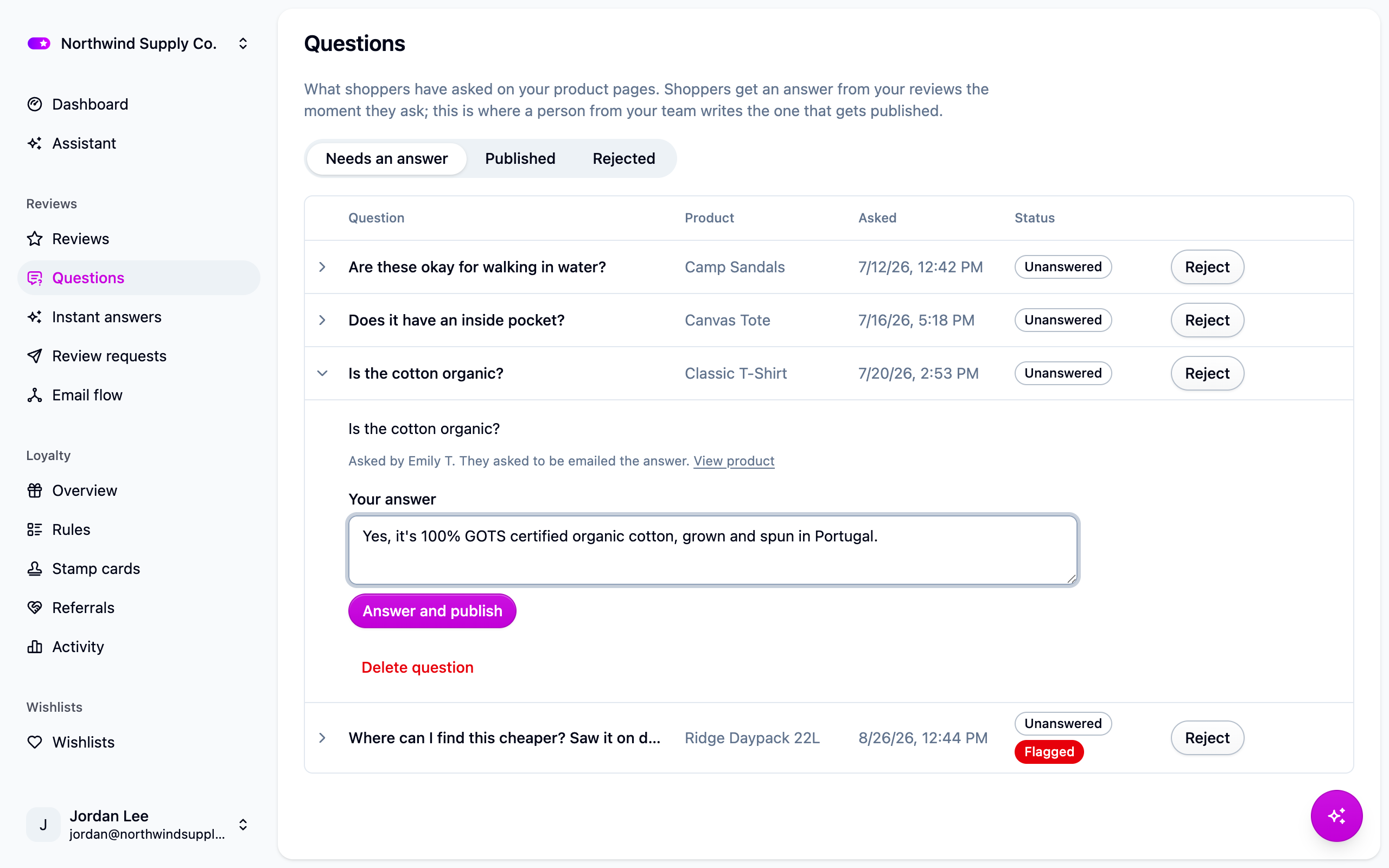
Your answer shows as coming from your store and always appears first, however late you add it. You can add more than one answer to a question and hide any of them later.
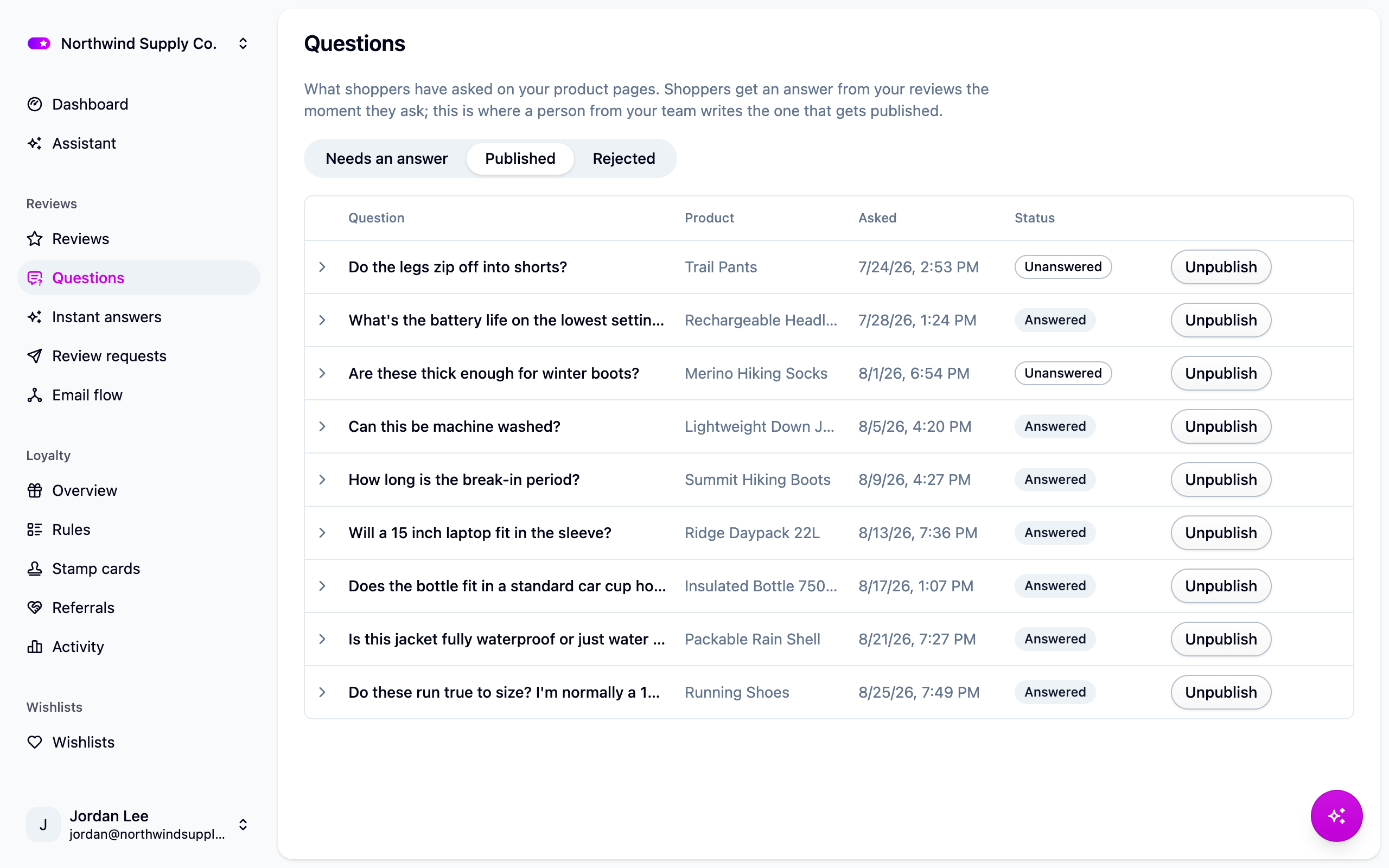
The Published tab is what shoppers can see; from there you can add another answer, hide one, or unpublish the question. The Rejected tab keeps questions you decided against. They never appear on your storefront, and the shopper isn't told.
You can't edit a shopper's question. If it can't be published as written, reject it.
Questions caught by content screening (links, profanity, your blocked words) are marked Flagged. Nothing is rejected automatically; a flag only holds the question for you to read.
Emailing the shopper
A shopper who left an email address gets one message, when the first answer to their question is published. They're never emailed again, however many answers you add.
Edit the wording under Settings → Email templates, template Question Answered. Shoppers' email addresses are never shown on your storefront, and deleting a question deletes the address with it.
Settings
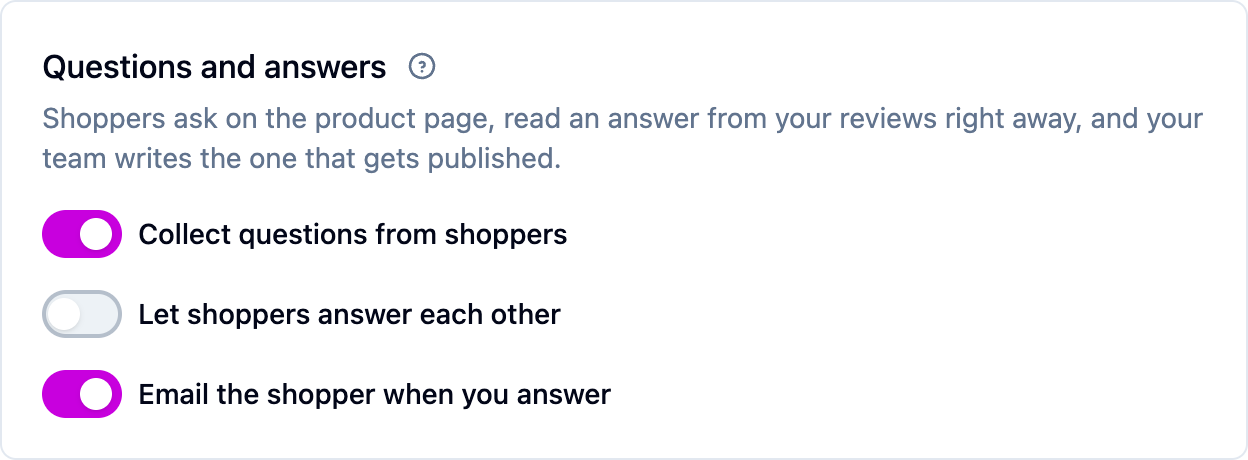
All under Settings → Reviews, in the Questions and answers block:
- Collect questions from shoppers (on). Turns the feature on. Off hides both the ask box and the published questions on your product pages.
- Let shoppers answer each other (off). Shoppers can answer published questions. Their answers wait in your queue until you publish them, and always sit below yours.
- Email the shopper when you answer (on). Sends the one message described above.
Nothing needs installing on your storefront: the ask box and the Questions and answers section appear in the reviews widget as soon as questions are on.
Next steps
- Give shoppers an answer while they wait: AI features.
- Keep spam out of your questions: Reviews.
- Work the review queue: Moderating reviews.
For developers
GET /product-questions lists questions (answered=false for the queue),
POST /product-questions/:id/answers answers one, and PATCH /product-questions/:id
publishes or rejects it. The storefront endpoints are GET /widgets/questions and
POST /widgets/questions. The Q&A section's anchor on the page is #cascade-questions,
and published questions with at least one published answer are added to the page's
structured data as a QAPage. See the API reference.