Wishlist import formats

The columns a wishlist import file can carry, in Cascade's own format and in the four competitor formats the Format picker reads unchanged. For how to run an import, see Importing wishlists.

The Cascade format

One row per saved item. Repeat the wishlist's own columns on each of its rows: rows that share a customer and a name are one wishlist, wherever they sit in the file. Column order doesn't matter, and columns you have nothing to say about can be left out.

ColumnRequiredDescription
customerYesEmail address of the customer the wishlist belongs to. A customer Cascade has never seen is created from the email.
nameYesThe wishlist's name. Together with customer it is what identifies the list.
isDefaultNotrue marks this as the customer's one default list, the one the storefront saves to with one click. See below.
productNoSlug of the product saved on this row. It must already exist. Leave the row's product columns all blank for a wishlist with nothing on it.
productExternalIdNoThe product's ID in the platform you are leaving, used when the row has no slug. Matched against the Shopify product ID on a connected store.
productUrlNoThe product's page URL on your storefront, used when the row has no slug. The last path segment is read as the slug.
productVariantNoSlug of the variant saved, if the customer chose one. Leave it blank to save the product as a whole.
productVariantExternalIdNoThe variant's ID in the platform you are leaving, used when the row has no variant slug.
createdAtNoWhen the customer saved this item. Without it the item is dated from the import. The list itself is dated from its earliest item.
quantityNoHow many of this item the customer wants. Leave it blank if they did not say.
noteNoThe customer's note about this item, such as a size or color preference.
sharedNotrue or false. Leave the cell blank to leave an existing list's sharing alone. New lists arrive private.
metadataNoA JSON object of your own string key/value pairs.

A two-item list looks like this:

customer,name,product,productVariant,quantity,note
ada@example.com,Birthday list,classic-tee,classic-tee-black,2,Size M please
ada@example.com,Birthday list,wireless-headphones,,1,

Rules the import follows

  • Where two rows of one wishlist disagree on a list-level value, the first non-empty value in the file wins and the ignored row is reported. A blank cell means "not specified", so it never overwrites what another row said.
  • The older format, where a full row starts a wishlist and the rows below carry only their item (blank customer and name), still imports unchanged.
  • The default list. A customer has at most one. With isDefault set to true the row goes into it whatever it is called; name is only used to create the list when there isn't one yet. New default lists are named after Name for a customer's first list under Settings, Wishlists, so leave that setting alone between runs of the same file.
  • An empty list is a row with customer and name filled in and product blank. That is how exports represent one, so it survives a round trip.
  • Running it twice. A list is identified by customer and name, so a second run updates in place. Items keep the date they were first imported with. The items in the file replace the list's items. A blank metadata cell clears stored metadata, and your internal notes on the wishlist are cleared, so copy anything you need out first.
  • Left out of the format. Share links: an export never carries a token and an import never sets one (a list keeps its link, a new list gets a fresh one). Purchased state: read it from the API or the detail pane in the dashboard.
  • A row that can't be placed is listed with its row number on the import job, for example Row 3: No product with the slug "discontinued-widget". The wishlist "Birthday list" was skipped. One unusable item skips its whole wishlist.

Competitor formats
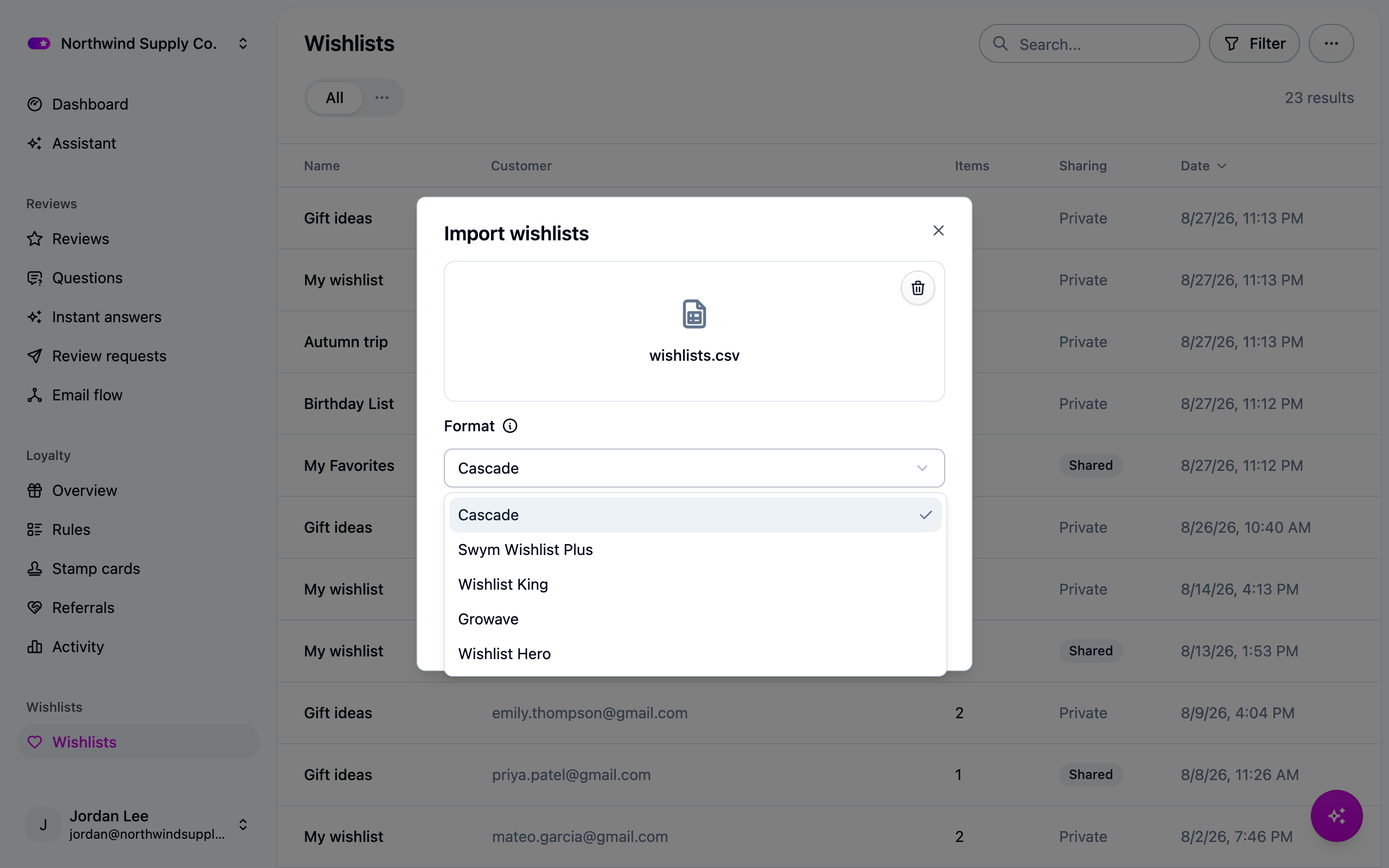
The wishlist Format picker listing Cascade and the four competitor formats

Warning

These mappings were written from each platform's published documentation, not from a real export file, and confidence is not even across the four. Swym's short keys (empi, epi, du, qty, lname) are its documented API vocabulary and are the surest of them; every human-readable header, and everything for Growave and Wishlist Hero, is our best reading of their help pages. Compare the table for your platform against your own export before you upload. If a column name differs, tell us and we will fix the mapping; in the meantime, rename the column in a spreadsheet, or reshape the file and use the Cascade format.

True of every named format:

  • Cascade uses the format you picked and refuses the file if its columns are not that format's. Nothing is imported when it does.
  • Columns are matched loosely on case and punctuation: Product Handle, product_handle and productHandle are the same column.
  • Every column the mapping does not carry into Cascade is listed on the import job with the reason.
  • All four keep one list per customer, so a row without a list name goes into the customer's default list.
  • All four name products by Shopify ID, so connect your store first. Cascade warns and still lets you upload, in case your slugs happen to line up.
  • Share links change (Cascade mints its own; the shared flag comes across), purchased state resets, and guest rows (kept against a browser, no email) are reported and skipped: Row 41: This row is a guest wishlist, kept against a browser rather than a customer, so there is no email address to attach it to. It was skipped.

Swym Wishlist Plus

Swym columnBecomesNotes
email, user_email or customer_emailcustomerRequired. A customer Cascade has not seen is created.
empi, product_id or external_master_product_idproductExternalIdRequired. Matched against the Shopify product ID.
epi, variant_id, external_product_idproductVariantExternalIdThe saved size or color.
product_handle, handleproductUsed first when the export carries it.
du, product_url, uriproductUrlThe fallback when the ID does not resolve.
lname, list_name, wishlist_namenameWithout it the row goes to the customer's default list.
qty, quantityquantity
note, notesnote
date_added, added_on, created_at, crdtcreatedAtA bare Unix timestamp is read as one.
shared, is_public, publicshared
dt, product_name, product_titleNot importedThe product Cascade holds supplies the title.
iu, image_url, product_imageNot importedThe product supplies the image.
pr, price, variant_priceNot importedPrices are read live from your catalog.
deviceid, device_id, uuid, anonymous_id, session_idNot importedGuest rows are reported and skipped.
cprops, custom_propertiesNot importedPut the ones you need in a metadata column as JSON.
share_url, share_link, share_idNot importedCascade mints its own share link.
lid, list_idNot importedA list is identified by its customer and its name.
purchased, is_purchased, purchased_atNot importedRead purchased state from the API.
bis, notify_me, back_in_stockNot importedAlerts follow your own wishlist settings.

Swym supports several lists per customer, so check for an lname column before you upload. Without it every row for a customer lands in one list.

Wishlist King

Wishlist King columnBecomesNotes
customer_email or emailcustomerRequired.
product_idproductExternalIdRequired. Matched against the Shopify product ID.
variant_idproductVariantExternalId
product_handle, handleproductUsed first when the export carries it.
product_urlproductUrl
wishlist_name, list_name, listnameWithout it the row goes to the customer's default list.
quantityquantity
note, notesnote
date_added, created_at, added_atcreatedAt
public, is_public, sharedshared
customer_id, shopify_customer_idNot importedCustomers are matched on the email address.
customer_name, first_name, last_nameNot importedNames belong to the customer record.
product_title, variant_titleNot importedThe product Cascade holds supplies the title.
image_url, product_imageNot importedThe product supplies the image.
price, variant_priceNot importedPrices are read live from your catalog.
available, in_stockNot importedAlerts follow your own wishlist settings.
device_id, visitor_id, session_idNot importedGuest rows are reported and skipped.
share_url, share_linkNot importedCascade mints its own share link.
wishlist_id, list_idNot importedA list is identified by its customer and its name.
purchased, is_purchasedNot importedRead purchased state from the API.

Growave

Growave bundles wishlists with reviews and loyalty, so export the wishlist report rather than a combined one: columns from the others are reported as unrecognized.

Growave columnBecomesNotes
email or customer_emailcustomerRequired.
product_idproductExternalIdRequired. Matched against the Shopify product ID.
variant_idproductVariantExternalId
product_handle, handleproductUsed first when the export carries it.
product_urlproductUrl
wishlist_name, list_name, collectionnameWithout it the row goes to the customer's default list.
quantityquantity
note, notesnote
date_added, added_date, created_at, datecreatedAt
public, is_public, sharedshared
customer_name, full_nameNot importedNames belong to the customer record.
product_title, product_nameNot importedThe product Cascade holds supplies the title.
image, image_url, product_imageNot importedThe product supplies the image.
priceNot importedPrices are read live from your catalog.
device_id, session_id, visitor_idNot importedGuest rows are reported and skipped.
share_url, share_linkNot importedCascade mints its own share link.
wishlist_id, list_idNot importedA list is identified by its customer and its name.
purchased, is_purchasedNot importedRead purchased state from the API.

Wishlist Hero

Wishlist Hero columnBecomesNotes
email or customer_emailcustomerRequired.
product_idproductExternalIdRequired. Matched against the Shopify product ID.
variant_idproductVariantExternalId
product_handle, handleproductUsed first when the export carries it.
product_urlproductUrl
wishlist_name, list_namenameWithout it the row goes to the customer's default list.
quantityquantity
note, notesnote
date_added, created_at, added_oncreatedAt
public, is_public, sharedshared
customer_name, first_name, last_nameNot importedNames belong to the customer record.
product_title, variant_titleNot importedThe product Cascade holds supplies the title.
image_url, product_imageNot importedThe product supplies the image.
price, product_priceNot importedPrices are read live from your catalog.
guest_id, device_id, visitor_id, session_idNot importedGuest rows are reported and skipped.
share_url, share_link, share_tokenNot importedCascade mints its own share link.
wishlist_id, list_idNot importedA list is identified by its customer and its name.
purchased, is_purchasedNot importedRead purchased state from the API.
notify_price_drop, notify_back_in_stockNot importedAlerts follow your own wishlist settings.

When Cascade refuses the file

If the columns are not the format's, the import fails before it writes anything and the job says what it looked for and what it found:

This file does not look like a Growave export.
Missing the customer email column: expected "email" or "customer_email".
Missing the product id column: expected "product_id".
Your file has: "Wishlist", "SKU".
Check that the Format picker matches the file you uploaded. The migration guide lists the
columns each format expects.