
Stamp cards
A stamp card is the punch card in a customer's wallet: ten coffees, then the eleventh is free. It rewards a habit rather than a balance, and works with or without points.
Create a stamp card
-
Open Loyalty → Overview and press Add stamp card in the Stamp cards section.
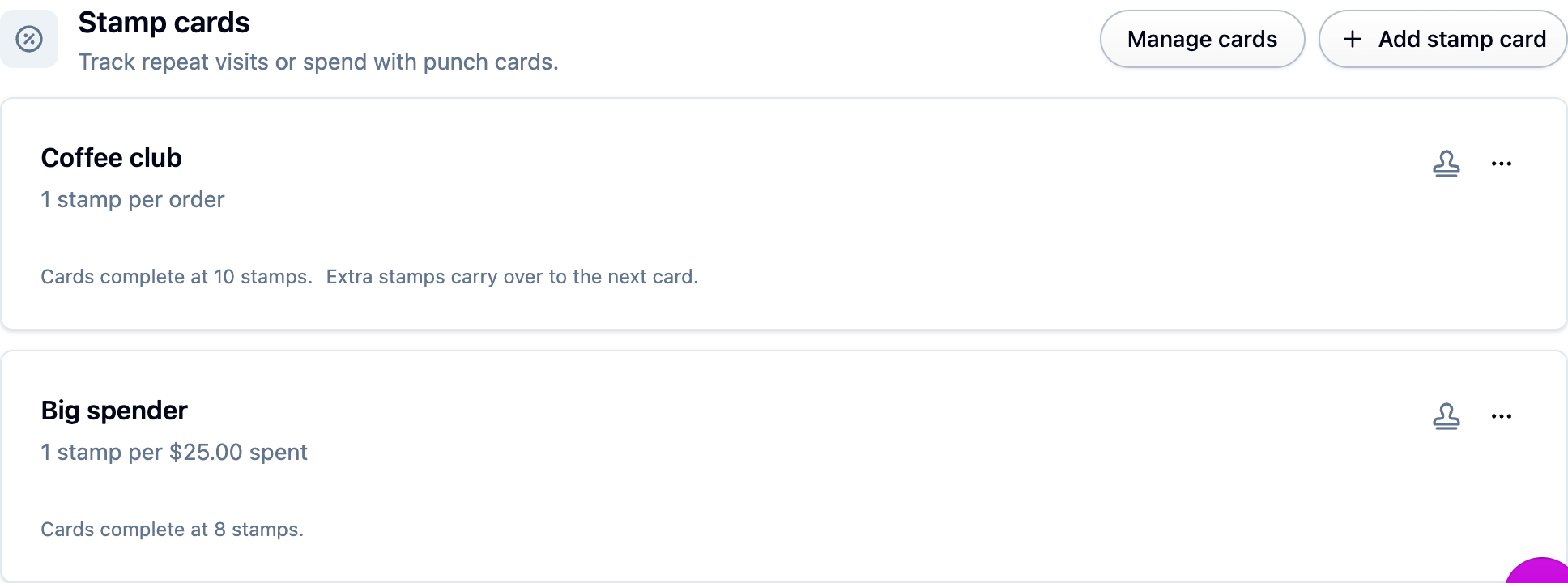
-
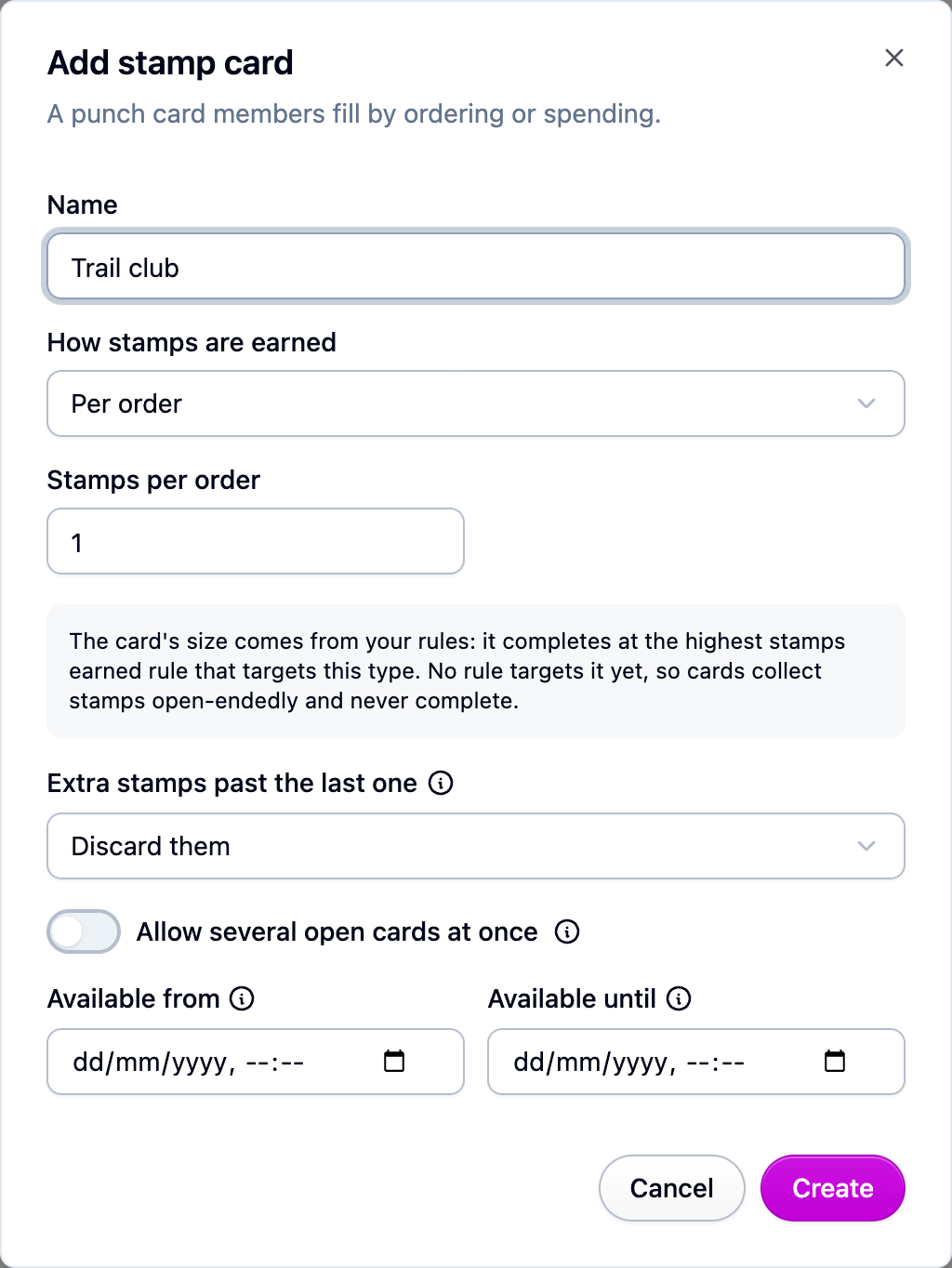
Name it, like "Coffee club".
-
Choose How stamps are earned: Per order (a set number of stamps per order) or Per amount spent (a batch of stamps for every amount spent, measured on the order subtotal unless you switch it to the total). Custom is for stamps Cascade can't see, like a visit to your physical shop, and needs a developer (see the end of this page).
-
Decide the size of the card by adding a rule. Open Loyalty → Rules, press New rule, pick the trigger Fills a stamp card, set Stamps needed (say 10) and the reward. The card is full when it reaches the highest such rule.
A card with no rule targeting it never completes. Cards keep collecting stamps until you add one.
How cards behave
- A member's first stamp opens their first card. When it fills, it closes and the next one starts, so a completed card stays as the record of a reward earned.
- A member has one open card at a time unless you turn on Allow several open cards at once, in which case stamps go to the oldest open card first.
- Extra stamps past the last one decides what happens to overflow: carry them to the next card, or discard them. A big order can fill more than one card, each with its own reward.
- You can reward progress as well as completion. Two rules on the same card, one at 5 stamps and one at 10, give something at halfway and something at the end. Each rule fires once per card.
Run a seasonal card
Set Available from and Available until on the card. Outside that window orders stop stamping it, while cards members already filled are left untouched. Leave both empty and the card stays open indefinitely.
Fix a member's card
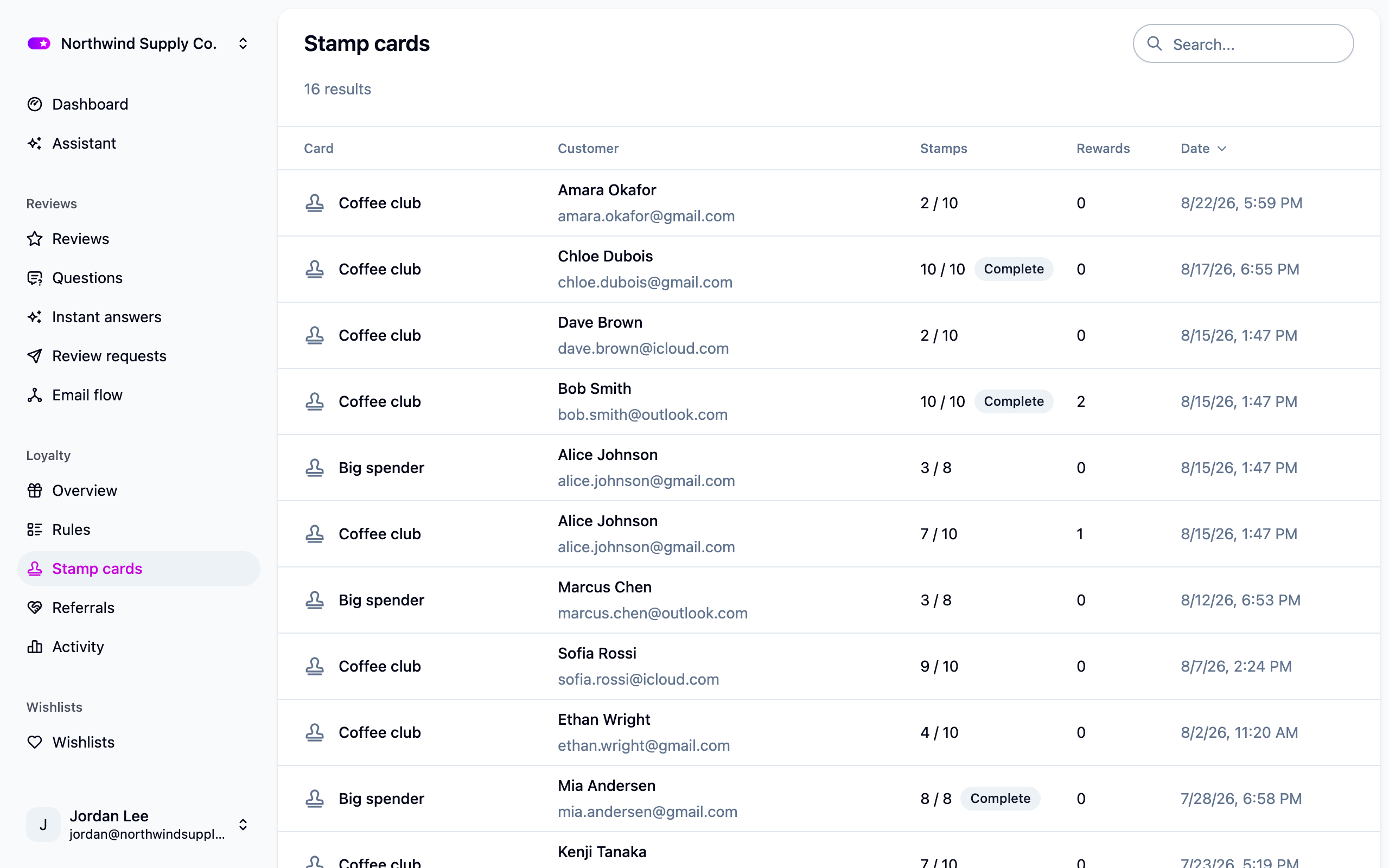
Stamp cards lists every member's card with
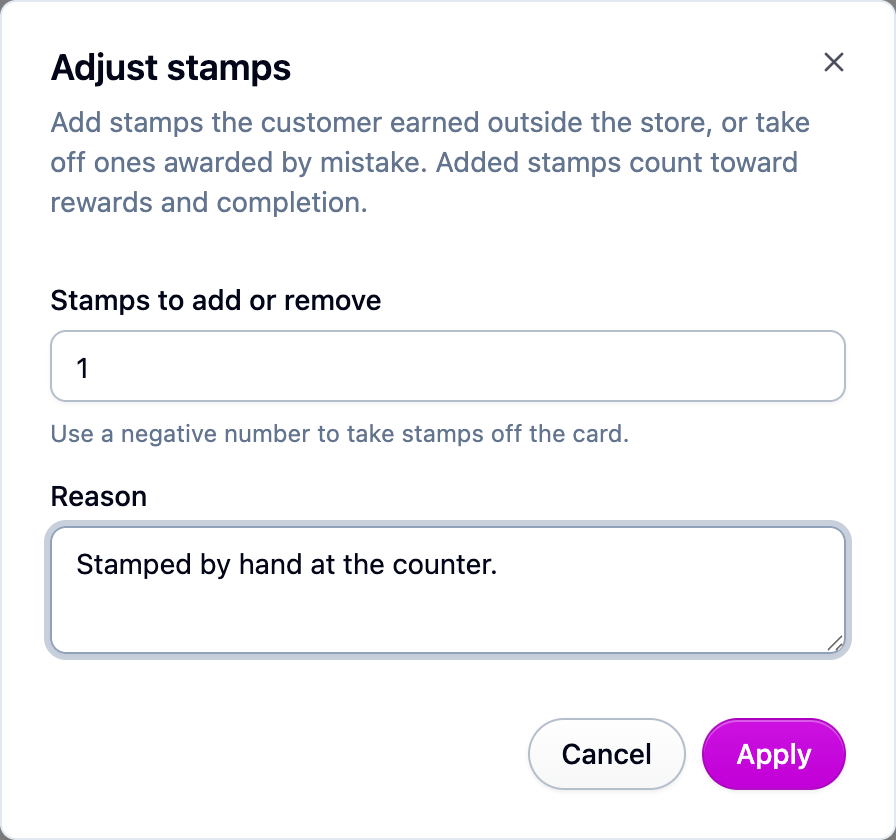
its stamp count and whether it's complete. Open one to add or remove stamps by hand, with a
reason. Removing stamps never fires a rule, never completes a card, and can't take a card
below zero. This still works after a card's collecting window has closed.
If something isn't working
- Cards never complete. Add a Fills a stamp card rule under Loyalty → Rules that targets this card, and check the rule's Starts and Ends dates. Only running rules count toward the card's size.
- Orders aren't stamping. Check the card's Available from and Available until dates, and whether the program is paused.
- A member moved from another app has an empty card. Stamp balances aren't imported. See Moving a loyalty program to Cascade.
Next steps
- Write the reward for a full card: Loyalty rules.
- Show the card on your storefront: Storefront widgets.
For developers
Stamping a card from your own systems
Set the card type's earning to Custom (through the API) and call POST /loyalty-stamps
with your secret key:
The response is the card in its new state, awarded (false on an idempotent repeat), the
membership id, and completedStampCardIds (oldest first) for any card the award filled.
idempotencyKey is your identifier for the cause of the stamp; omit it and every call
counts. Unknown customers are refused (404) unless you send "createCustomer": true. A
customer who has not joined a self-enrollment program gets a 409, as does a paused program
or a type outside its availability window; a 400 means the type is not Custom; 429 means the
burst of 120 (refilling at two a second) was exceeded.
Every stamp, from an order or from this endpoint, fires stampCard.updated, plus
stampCard.completed when it fills a card and stampCard.created when it opens one. See
Loyalty stamps API and Webhooks.