
Loyalty rewards
A reward is the coupon, gift card or free shipping a member holds after a rule fires or they spend points. This guide covers when rewards expire, how to hand one out, and what to do when one goes wrong.
Claimed and redeemed are different things
- Claimed means the member spent their points and now holds a reward with a code. The reward is pending.
- Redeemed means the code was used at checkout.
A member who can't afford a reward is told so and nothing moves. A pending reward can be canceled by the member or withdrawn by you, and either way the points come back once. Once a code has been used, neither is possible; correct it with a manual points adjustment under Loyalty → Activity.
Decide when rewards lapse
Every reward except points can expire. Each rule chooses, under The reward expires in the rule editor on Loyalty → Rules:
- On the program's schedule uses Rewards expire after from the Rewards section of Settings → Loyalty. It counts days from the moment each reward is issued. Leave it empty and rewards stay usable until they're used.
- Never.
- A set number of days after it is issued.
- On one date, for everybody, which suits a campaign.
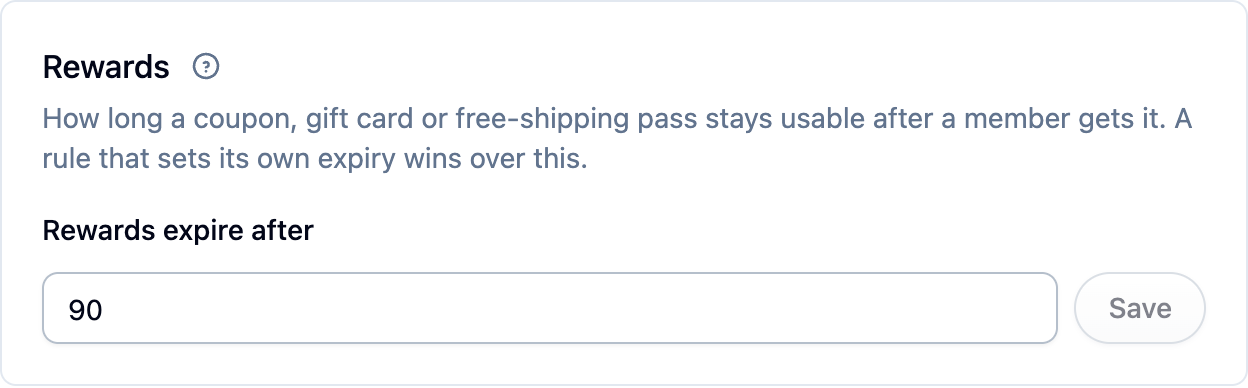
The expiry date is fixed when the reward is issued, so editing a rule later never moves a date already on a member's reward. To warn members before a reward lapses, see Loyalty emails.
Hand out a reward by hand
- Open the customer under Customers.
- Find the program in the Loyalty block on their page and click Reward.
- Pick the reward, set its value if it needs one, and add a reason for your own records.
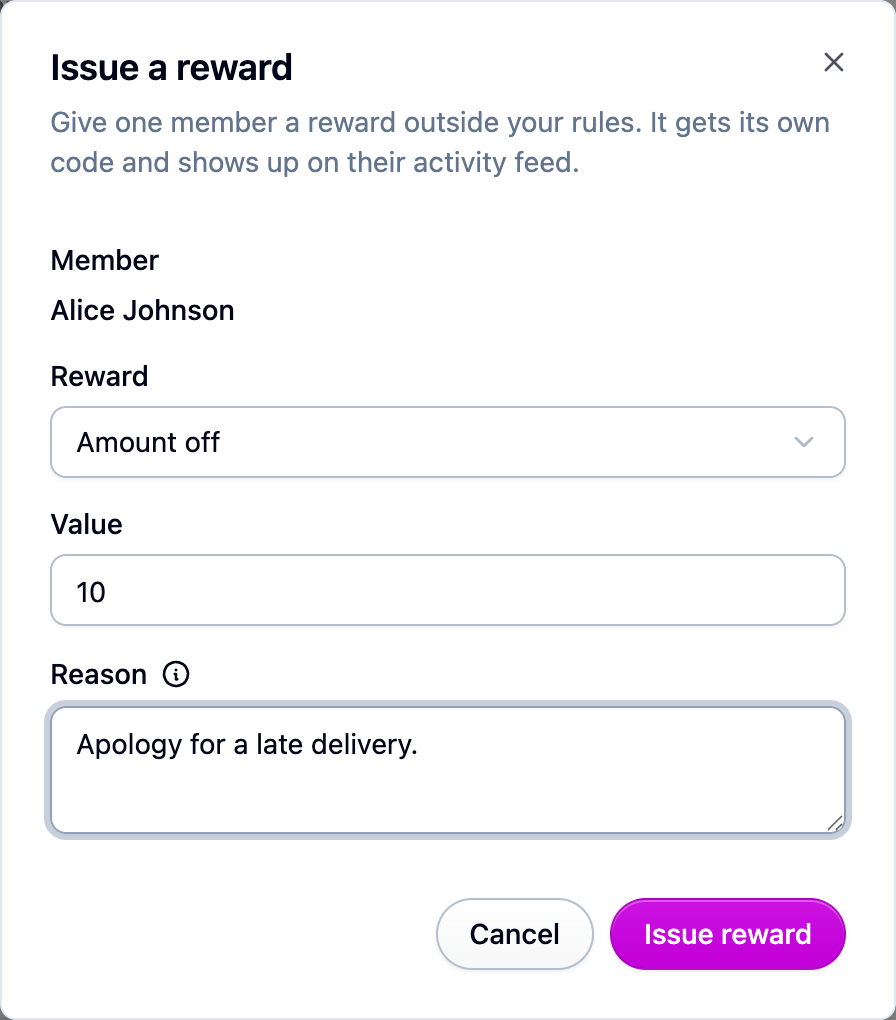
Only current members can be given a reward.
Find a reward
Every reward shows up in Loyalty → Activity
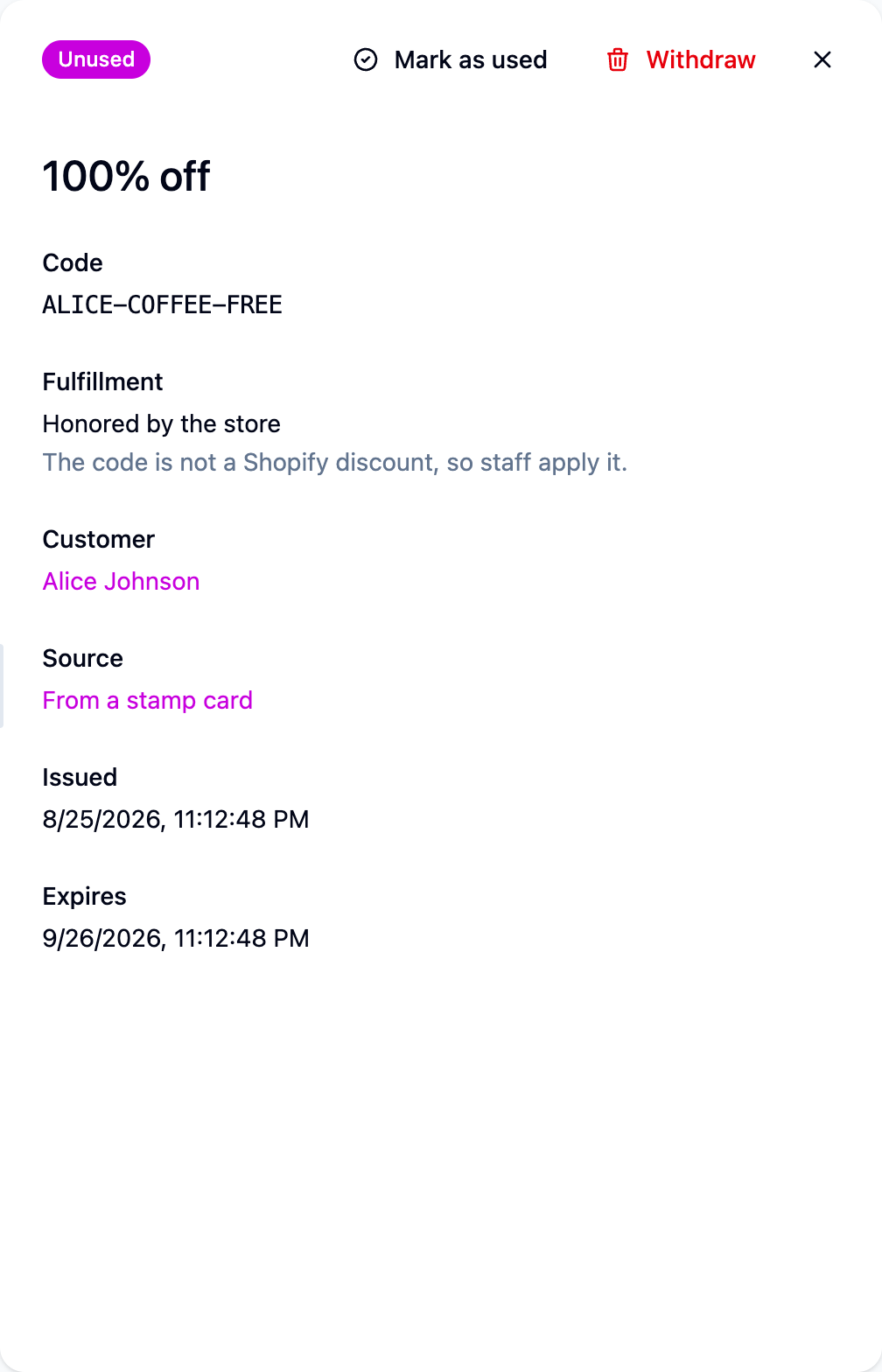
as a Reward entry. Open one and follow its Reward link to see the code, its status,
where it came from, and the buttons to mark it used or withdraw it.
Rewards at checkout
On a connected Shopify store, Cascade creates a real discount the moment a reward is issued, so the code works at checkout without anything else from you. Where that isn't possible the reward is honored by hand and says so. Gift cards need Shopify Plus; Cascade won't save a gift card rule on a store that can't issue them.
Next steps
- Write the rules that issue rewards: Loyalty rules.
- Tell members about their rewards: Loyalty emails.
- Reconcile what's been handed out: Loyalty activity.