Loyalty import formats

The Format picker on the members import reads a LoyaltyLion, Smile.io or Rivo export as it comes, so you don't have to rename a column before you upload. This page lists what each format expects.

Warning

These mappings were written from each platform's published documentation, not from a real export file. Compare the table against your own export before you upload. If a column name differs, tell us; in the meantime rename the column in a spreadsheet, or reshape the file and use the Cascade format.

Three things are true of every format:

  • Cascade uses the format you picked and refuses the file if its columns don't match.
  • Column names are matched loosely: Points Balance, points_balance and points balance are the same column.
  • Columns Cascade doesn't carry across are listed on the import job under Settings → Imports. A completed job with a list of notices is normal.

None of the formats carries a program name. If you run several programs in Cascade, add a program column to the file by hand.
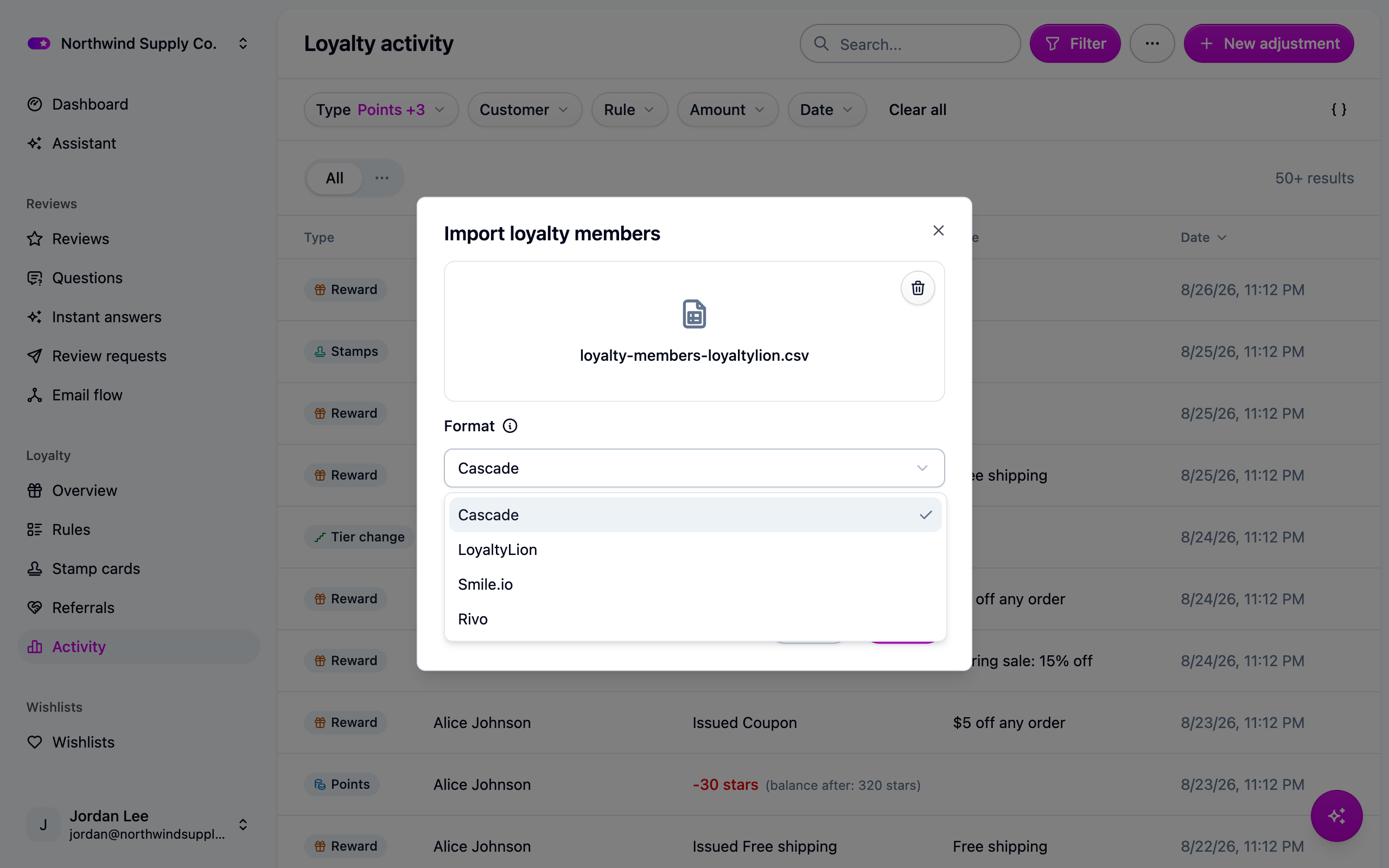
The members import Format picker listing Cascade, LoyaltyLion, Smile.io and Rivo

LoyaltyLion

LoyaltyLion columnBecomesNotes
email or customer_emailemailRequired. Matched against a customer you have already imported.
points_approvedpointsRequired. The opening balance.
tier, loyalty_tier or tier_nametierMatched to your tier by name, ignoring case.
programprogramCascade's own column. Add it only if you run several programs.
points_pendingNot importedCascade has no pending points.
points_spent, points_earnedNot importedThe approved balance already accounts for both.
merchant_id, customer_idNot importedMembers are matched by email.
referral_url, referral_idNot importedCascade issues its own share codes.
stateNot importedEvery row in the file is enrolled. Remove members who left.
created_atNot importedMembers join on the day they are imported.
name, first_name, last_nameNot importedNames belong to the customer.
total_spentNot importedSpend comes from imported orders.

LoyaltyLion holds points as pending until an order clears, and Cascade imports the approved balance only. To honor pending points too, add the two columns together in a spreadsheet and import the result with the Cascade format.

Smile.io

Smile columnBecomesNotes
Email or customer_emailemailRequired.
Points Balance, points_balance or pointspointsRequired. The opening balance.
VIP Tier, vip_tier or vip_tier_nametierMatched to your tier by name, ignoring case.
programprogramCascade's own column. Add it only if you run several programs.
Points Earned, Points SpentNot importedThe balance already accounts for both.
Customer ID, external_idNot importedMembers are matched by email.
First Name, Last NameNot importedNames belong to the customer.
Referral URL, Referral CodeNot importedCascade issues its own share codes.
BirthdayNot importedBirthdays belong to the customer.
StateNot importedEvery row in the file is enrolled.
Created AtNot importedMembers join on the day they are imported.

Rivo

Rivo columnBecomesNotes
email or customer_emailemailRequired.
points_balance or pointspointsRequired. The opening balance.
vip_tier, tier or tier_nametierMatched to your tier by name, ignoring case.
programprogramCascade's own column. Add it only if you run several programs.
points_earned, points_spentNot importedThe balance already accounts for both.
shopify_customer_id, customer_idNot importedMembers are matched by email.
first_name, last_nameNot importedNames belong to the customer.
referral_code, referral_linkNot importedCascade issues its own share codes.
birthdayNot importedBirthdays belong to the customer.
state, statusNot importedEvery row in the file is enrolled.
created_at, joined_atNot importedMembers join on the day they are imported.

If something isn't working

  • "This file does not look like a LoyaltyLion export." The wrong format was picked or the wrong export downloaded. Nothing was imported; the message under Settings → Imports says which column it looked for. Fix it and upload again.
  • "This looks like a transaction export, not a members export." Every platform exports two files: members with a balance, and a list of points transactions. The members import takes the first. Transactions go through the history API (see below).

Next steps

For developers

A transaction export maps onto POST /loyalty-history a column at a time:

LoyaltyLion transaction columnSmile activity columnPOST /loyalty-history field
idIDexternalId
customer_emailCustomer EmailcustomerEmail
created_atDateoccurredAt
pointsPointsamount
typeTypekind
titleDescriptionreason

kind must be earn, spend or adjustment; leave it out and Cascade infers it from the sign of amount. Rivo's transaction export columns are unconfirmed, so it is not mapped here. Import the balances first and the transactions after: the history reduces the opening adjustment by whatever it explains, and re-runs are idempotent. See Loyalty history API.