
Review import columns
The columns a review file uses when its Format is set to Cascade. Exports use the same columns, so an exported file can be edited and imported back in. For the everyday steps see Importing reviews.
A minimal file needs three columns:
Columns
* A row needs one of product, productExternalId or productUrl.
Finding the product
Cascade looks for the product in this order:
product, matched against the product's slug (the Shopify handle).productExternalId, matched against the Shopify product ID recorded by your connected store. The numeric form (7788) and thegid://form both work. Only resolves when a Shopify store is connected.productUrl, whose last path segment is read as a slug, sohttps://example.com/products/running-shoesfindsrunning-shoes.
A row that matches nothing is skipped and the job says which identifiers it tried.
Moderation
Imported reviews are published unless the file says otherwise, and count as decided, so they stay out of the moderation queue. The one exception is a review your old app had not decided on yet: it arrives unpublished and waits in the queue for you.
moderationStatus accepts the words apps print: published, approved, live,
visible, ok and public publish the review; unpublished, hidden, rejected,
draft and private keep it off the storefront; pending, unapproved and held put
it in the moderation queue; unknown and an empty cell publish it. A spam row is not
imported at all and is listed on the job.
Where a file has more than one of these columns, published wins, then hidden, then
moderationStatus.
Verified buyers
verifiedBuyer accepts true, false, and the words apps print on the badge: buyer,
verified and verified purchase mean true; unverified and guest mean false. A row
with an orderReference counts as verified; an explicit verifiedBuyer value wins over it.
The reference is kept in the review's metadata.
Photos and videos
imageUrls takes publicly reachable URLs separated by commas, spaces or semicolons, or a
JSON array of URLs (or of objects with a url field). Cascade downloads and stores its own
copy of each. JPEG, PNG, GIF and WebP images and MP4, QuickTime and WebM video are
accepted. An attachment that can't be fetched is reported against its row and the review
is still imported. A URL already attached to the review is not fetched twice.
Review questions
Each live review question gets a column named question:
followed by its label, such as question:How is the fit?. A scale takes the step number
counting from 1; a list of options takes the option labels separated by |, such as
Yes|No. An empty cell means the review didn't answer. A value the question doesn't offer
skips the row and reports why. Required questions can be left unanswered on an import.
Running it twice
externalId makes an import safe to repeat: importing the same file again updates those
reviews in place instead of adding a second copy. Without it, every import adds new
reviews. Exports fill externalId in for you, using the review's own Cascade ID where
there is no external one.
A review holds one reply, so re-importing rewrites the reply rather than adding a second.
When a row doesn't match
Rows that can't be placed are skipped and listed with their row number on the import job under Settings → Import jobs:
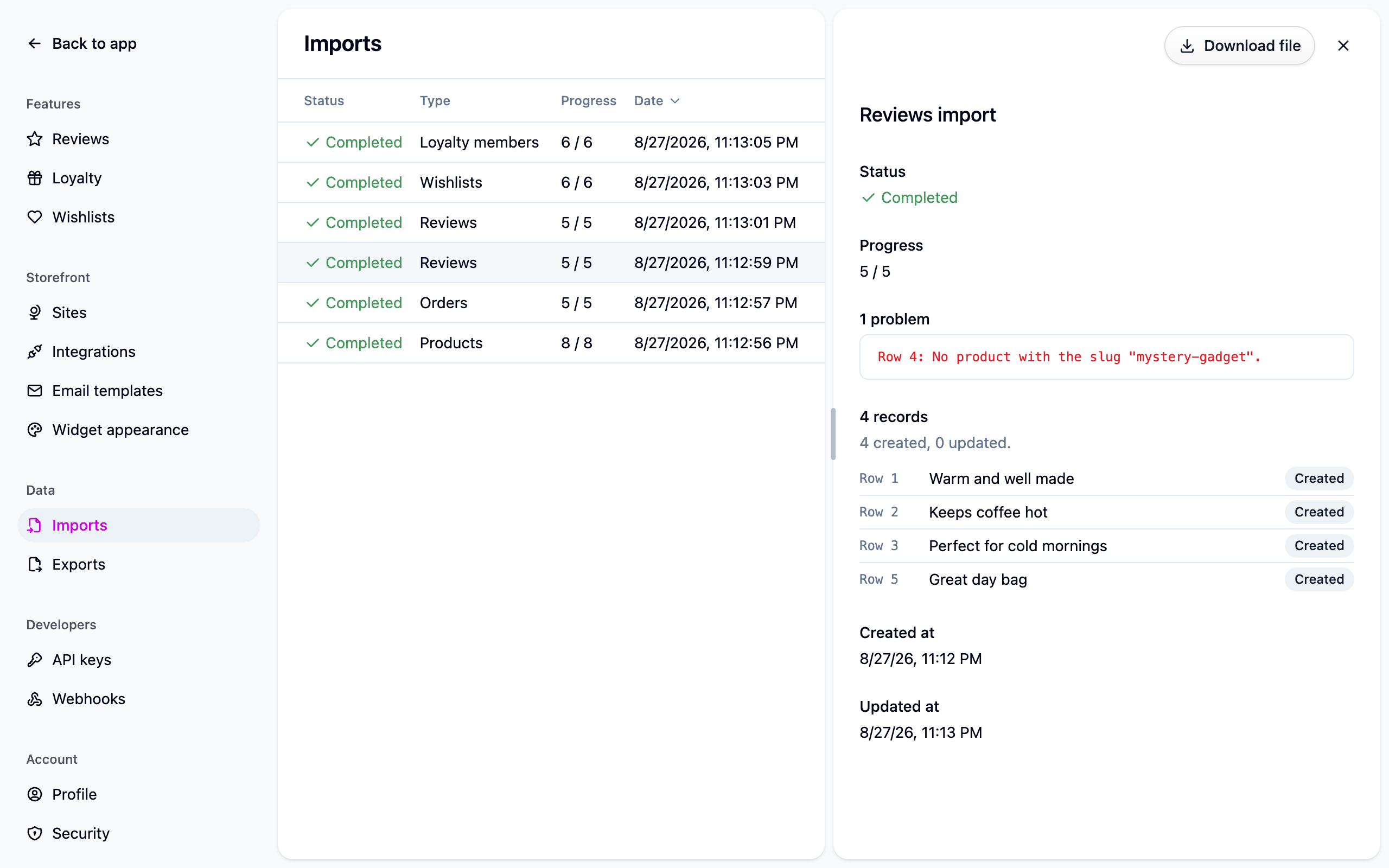
Fix those rows and import the file again, with externalId set so the rows that worked
aren't duplicated.