
Collecting reviews
Set up the review request email Cascade sends after each order. Almost every review you collect will come from one.
Set it up in a minute
- Open Set up reviews and answer the four questions: when to ask, whether to send a reminder, what the email looks like, and whether new reviews publish automatically.
- Cascade writes a flow called Review requests that waits 7 days after your chosen trigger and sends your Review Request email, rewritten in the layout you picked. If you asked for a reminder, it adds a Review reminder template and sends it 5 days later. Automatic publishing starts at 4 stars and up.
- Change any of it later: the waits under Reviews → Email flow, the emails under Settings → Email templates, and the publishing threshold under Settings → Reviews.
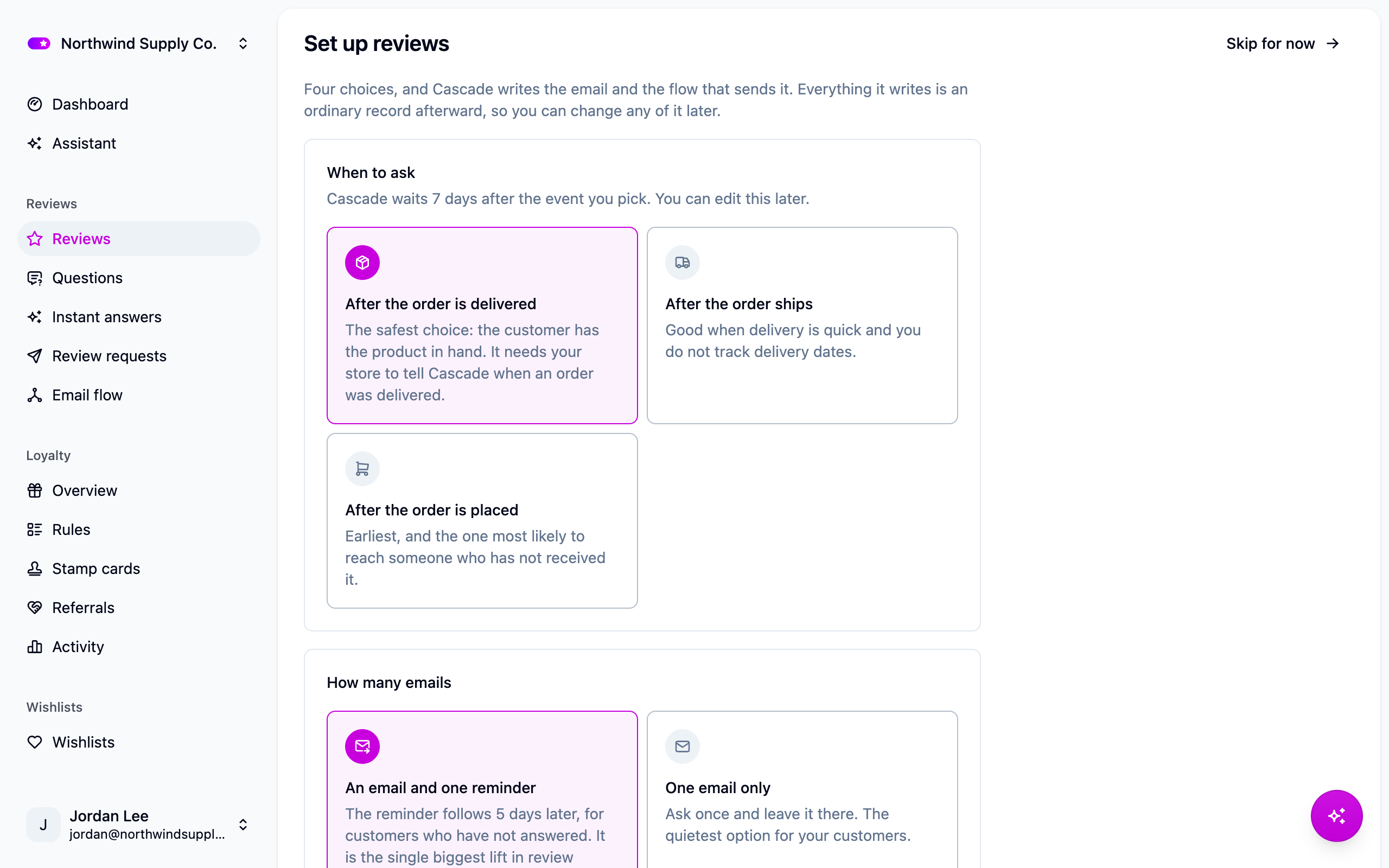
The email comes in two shapes: lead with one product, which suits orders with one or two items, and list every product equally, which suits bigger baskets.
How a flow works
A flow is three decisions, edited under Reviews → Email flow:
- The trigger. Which order event starts the clock: created, shipped or delivered. Delivered is best if your store records it, since the wait starts when the customer has the product. Shipped is a good default otherwise. Use created for digital goods.
- A condition, optional. Which orders qualify. Leave it empty to ask about every order, or limit it to a product tag, a minimum order total, or one store. Flows are checked in order and the first match wins, so put specific flows above the general one. An order never gets two requests. See Filtering.
- The steps. Each step waits a set time, then sends an email. A week after delivery is a common starting point; two weeks for something that takes a while to judge. Waiting a month reads as a store that lost track of the order.
A flow that is switched off ignores its trigger entirely.
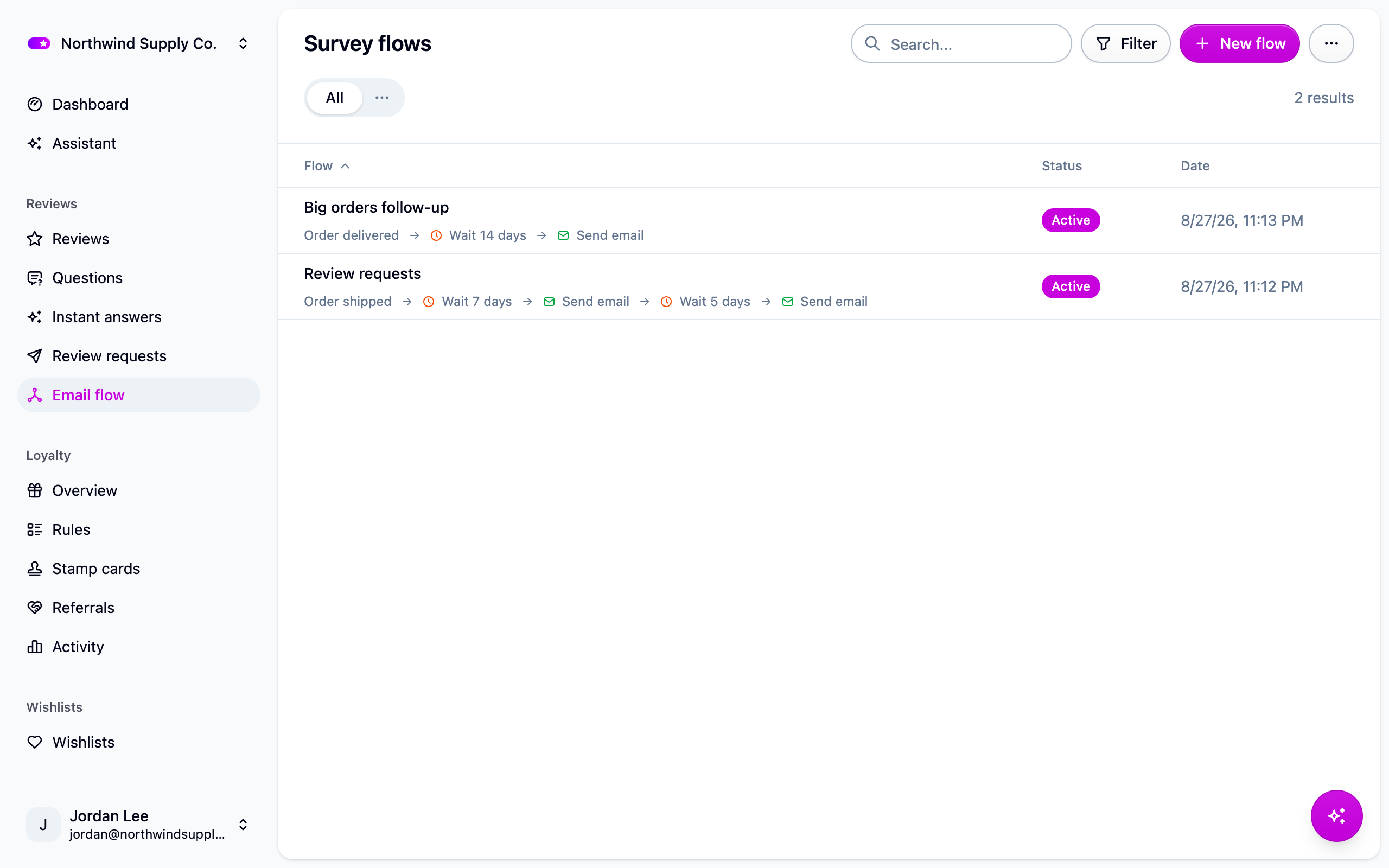
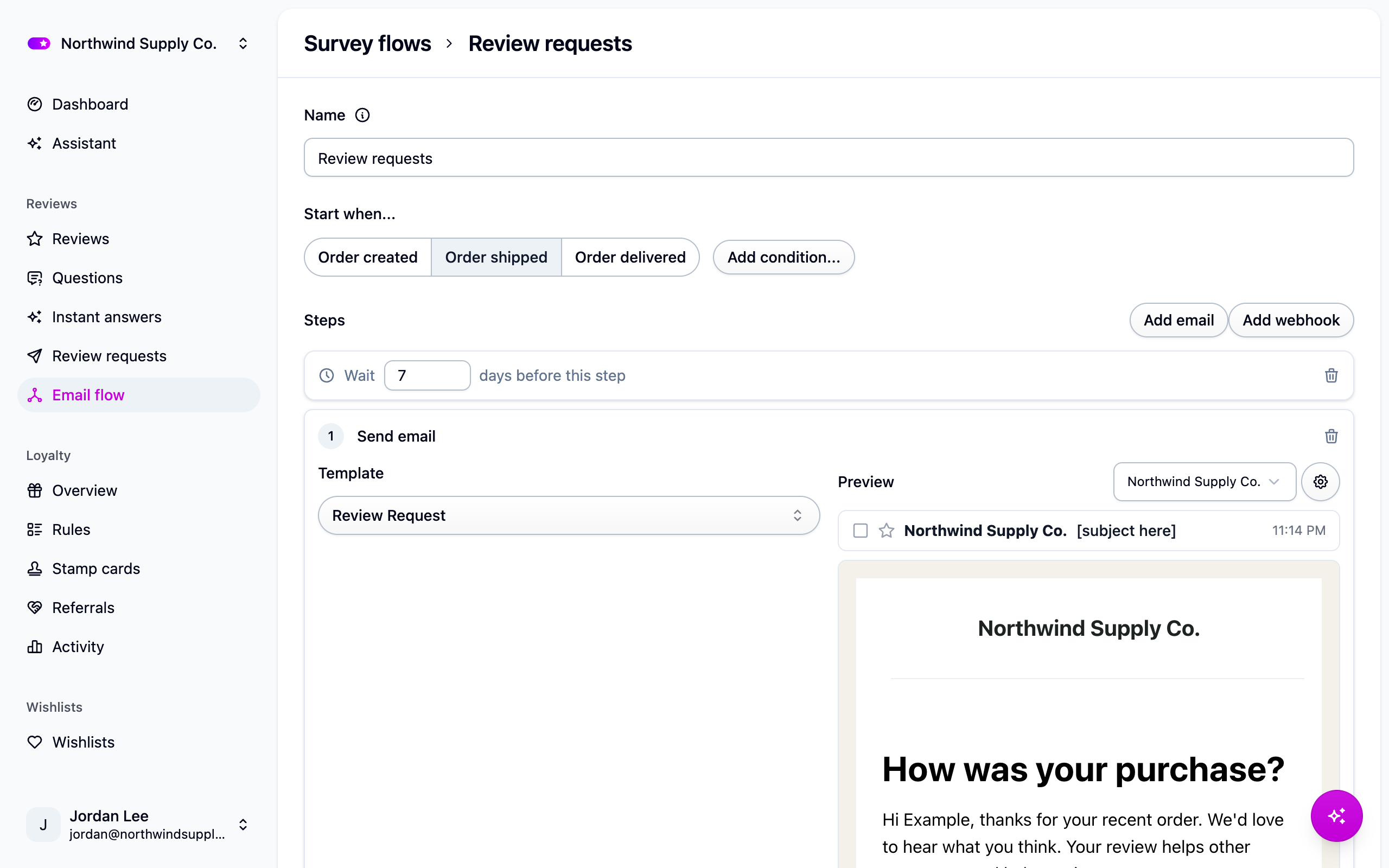
Think twice before adding a reminder step. A customer who ignored the first request is not always one who wants a second, and reminders are the fastest way to earn unsubscribes.
The request email
Edit the wording, branding and layout under Settings → Email templates, where you can preview it before it goes anywhere. See Email templates.
Keep the star links in the email: a customer who clicks 4 stars lands on the review form with 4 stars already selected, which lifts completion noticeably.
Review requests are marketing mail, so they carry an unsubscribe link and never go to a customer who has opted out.
What the customer sees
The link opens a review page hosted by Cascade, branded with your store's logo and colors from Settings → Sites. The customer picks a rating, writes a headline and a review, answers any review questions that apply, and can attach photos or videos. Nothing needs installing. Their review arrives marked as a verified buyer.
Watch requests go out
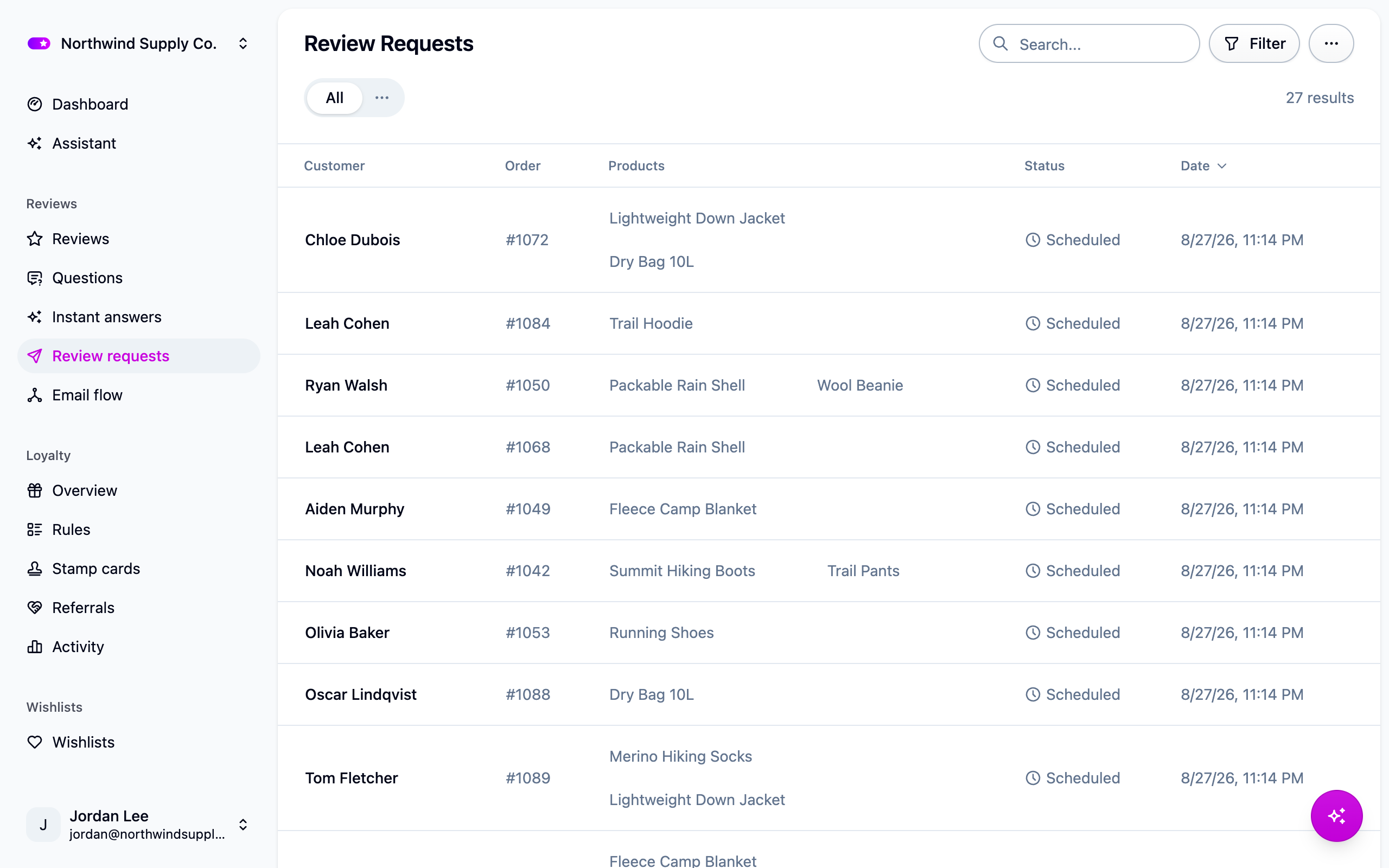
Reviews → Review requests lists every request with the customer, the order and its status: scheduled, in progress, completed, canceled or failed. Cancel a request that hasn't gone out yet when an order is refunded.
Reviews without a request
The reviews widget's "Write a review" button lets a shopper review from your product page. These reviews are never marked as verified buyers, since nothing proves the purchase, and the shopper's email is only used to stop the same person reviewing a product twice. On Shopify, clear "Let shoppers write a review here" on the Product reviews block to turn the form off. See Storefront widgets.
If requests are not going out
- The flow is off. Check it under Reviews → Email flow.
- Orders aren't reaching Cascade. Check Orders.
- Orders never reach the trigger. A flow triggered on delivery does nothing if your store never sends a delivery date. Switch to shipped or created.
- The condition is too narrow. Clear it temporarily and see if requests start.
- The customer opted out of marketing email. Their page under Customers says so.
- A request failed. Reviews → Review requests says why.
Next steps
- Work the queue: Moderating reviews.
- Ask extra questions: Review questions.
- Bring your old reviews across: Importing reviews.
For developers
- On a custom integration, the shipped and delivered triggers read the
shippedAtanddeliveredAtfields on the order import. See Custom integration. - The request email needs
{{order.reviewUrl}}; star links append the rating to that URL. - A flow step can also send a webhook to a URL of yours alongside the email.
- Outside Shopify, turn the storefront form off with
data-cascade-review-form="false"on the reviews widget. POST /reviewstakes a review from anywhere you collect one: a kiosk, a support tool, your own form. See the API reference.