
Going over an allowance
This page explains what happens when your store passes one of the three allowances your plan is priced on: review submissions, active loyalty members and active wishlist customers.
Going over is not a wall. The day it happens nothing changes, and either way everyone on your team gets an email at 80 percent of an allowance and another the day you go over. What happens next depends on one switch on Settings → Billing: Bill me for usage over an allowance. It is on when you sign up, and only an owner can change it.
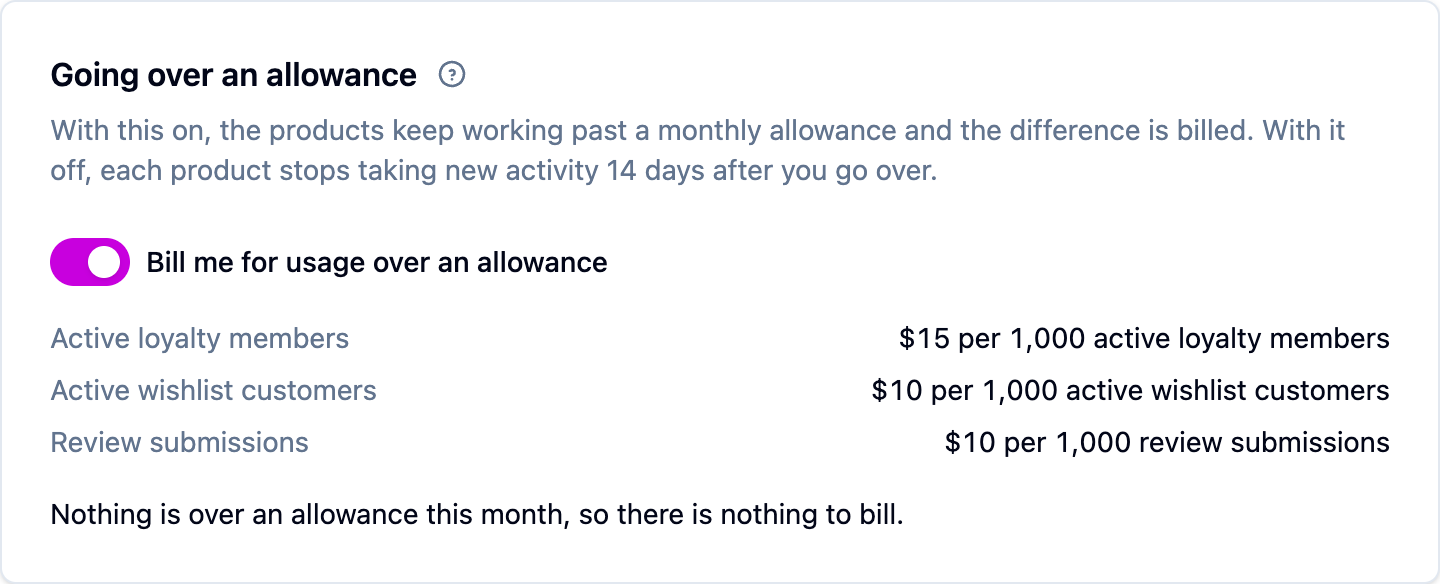
With the switch on (the default)
Everything keeps working, and the usage past your allowance is billed at these rates on both Starter and Growth:
Worth knowing:
- A block is a whole block. One review past the allowance is one block of 1,000, which is $10. The three allowances are billed separately.
- It's worked out once, after the month ends. A spike you correct before the month closes is never charged. Delete 900 spam reviews on the 30th and you're billed for what's left.
- You can see it before you pay it. The billing page shows the running total beside each allowance bar all month.
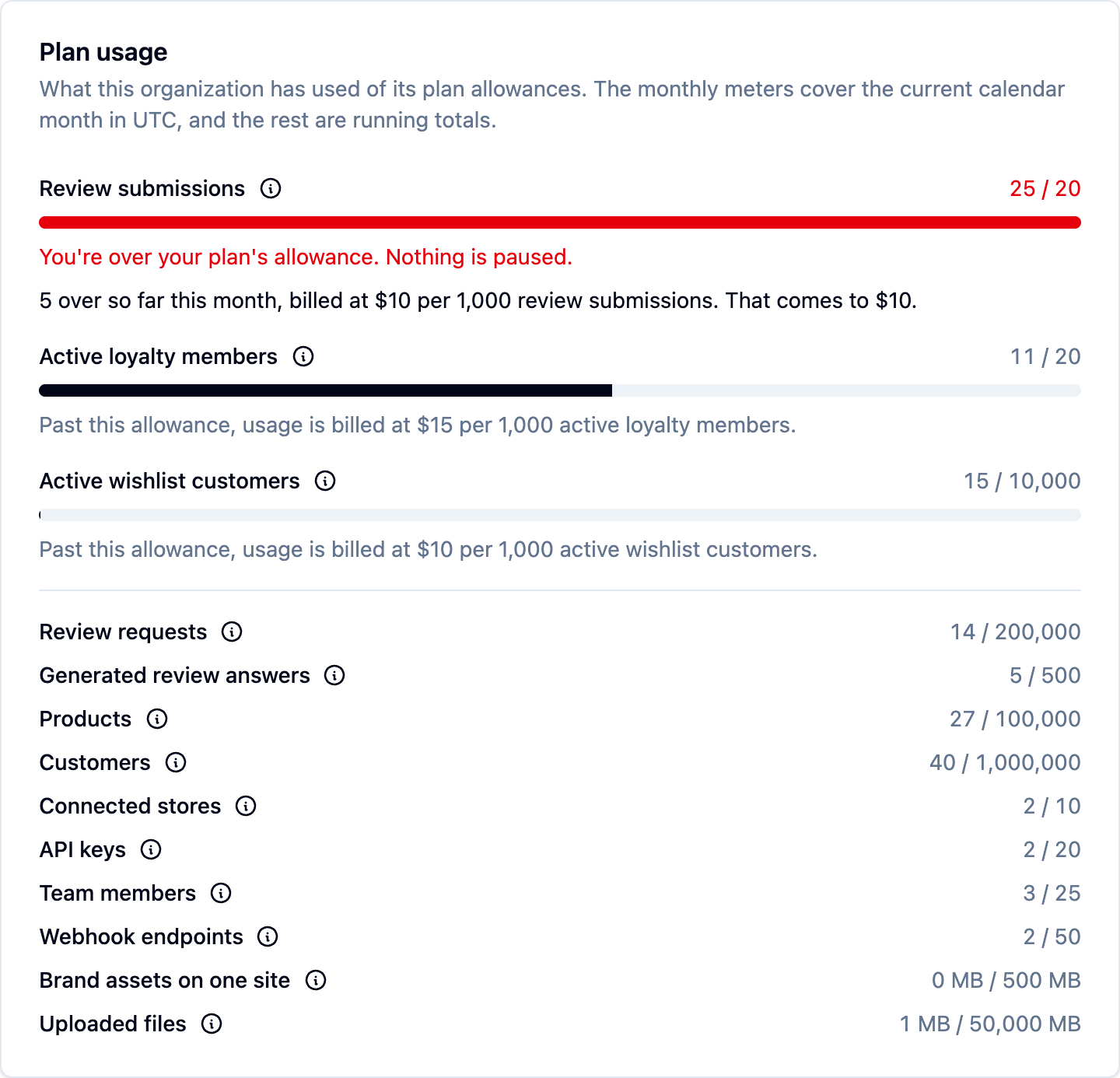
If Shopify bills you, the overage is capped at the maximum you approved when you installed the app: $250 a month on Starter and $750 on Growth. Anything past that is not billed.
Enterprise settles volume in its contract, so the switch does not appear.
With the switch off
Nothing above your plan is ever charged. Instead, for each allowance separately:
- At 80 percent, the billing page says you're approaching the allowance and the product's own screens show a banner.
- Past 100 percent, everything keeps working. You are not cut off mid-month.
- Fourteen days later, if you are still over, that one product stops taking new activity. The banner counts down to the date so it is never a surprise.
- The moment you are back under, whether you upgraded, we raised the limit or the month rolled over, everything resumes on its own.
Nothing is ever deleted and nothing is hidden from your shoppers: points, rewards, saved wishlists and published reviews all stay as they are, and every widget keeps showing them. Going over on reviews never stops wishlists.
Changing your mind
- Turning the switch on stops any countdown immediately. A product that had already stopped starts taking new activity again, and the month you're in is billed at the rates above when it closes.
- Turning it off means the 14-day countdown starts the next time you go over. It does not refund a month already billed.
If one number is the only thing in your way, ask us: raising an allowance for your account is quicker than moving up a plan.
Next steps
- Watch your usage on the billing page.
- Changing or canceling your plan
- Plans and limits